
Sidebar
academy:business_assetmanagement_assetmanagementprocess
This is an old revision of the document!
Asset Management Annual Process

This process provides you with information about managing asset records and performing end-of-year procedures for Asset Management.
This guide assumes you are familiar with the basic features of the ASCENDER Business system and have reviewed the ASCENDER Business Overview guide.
Asset Management Summary Quick Checklist (prints separately) - This is a one-page quick checklist of the following steps.
Asset Record Maintenance (performed throughout the year)
Finance


Asset Management
CAUTION: Prior to initiating end-of-year procedures, use the Asset Management > Utilities > Export by File ID page to perform an export of all current year data. Do not proceed until a valid export of all current year data exists.
If at any point during the export process, you need to restart, be sure to log out and back into Finance; otherwise, you may receive an error when trying to export data.


Depreciation Calculations and EOY Reports
Asset Management


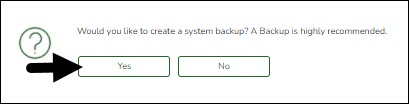


Prepare for New Year Processing
Asset Management


Verify that you are in file ID C before completing the following steps.


After completing the above steps, you are now ready to begin the new fiscal year for Asset Management.
academy/business_assetmanagement_assetmanagementprocess.1646427501.txt.gz · Last modified: 2022/03/04 15:58 (external edit)