If you need to set up a student who is not currently attending the campus/district but will attend next year, you must register the student in current year registration. The student should be pre-registered in the campus they will attend in the new school year.
Registration > Maintenance > Student Enrollment
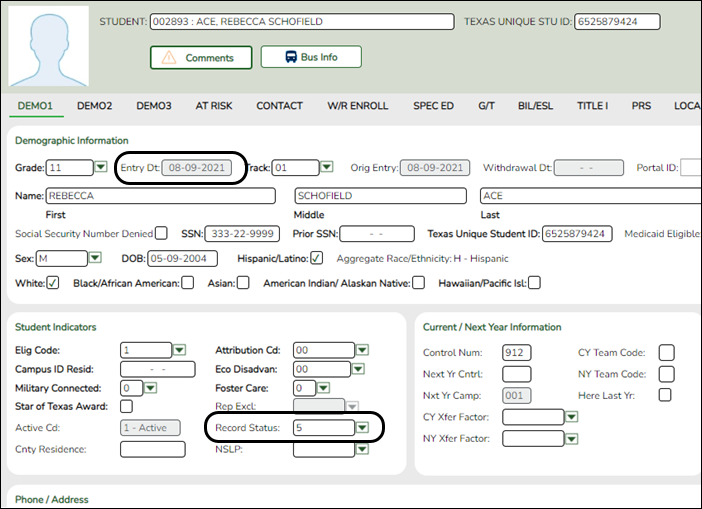
Use the grade level the student will be in next year.
Use the last day of the current year as the Date of Entry (WR Enroll tab).
Use Record Status 5 (not enrolled this year but will attend next year).
WARNING: Do not use Record Status 4, or the program will not let you edit or delete the student until after Annual Student Data Rollover is done.
Returning current year student: If you have a current year student who has withdrawn, but intends to come back next year, do not use these steps to pre-register them or current year data will be skipped during PEIMS. This student will need to be registered after ASDR is done in the summer.


