
Sidebar
general:grade_reporting_utility_cum_grd_avg_body
This is an old revision of the document!
| School Year | The current school year is displayed, as specified on Maintenance > Tables > District Control Table. |
||||||||
|---|---|---|---|---|---|---|---|---|---|
| Campus | The campus to which you are logged on is displayed. | ||||||||
| Campus Control Information |
Data from the Grade Averaging Information section on Maintenance > Tables > Campus Control Options > H Roll & Gr Avg is displayed for your reference. Verify the settings before running the utility.
|
||||||||
| Credit Level | Select the credit level to be processed. |
||||||||
| Process |
|
||||||||
| Grades |
Select the current year grade level(s) to process. Or, click All Grade Levels to process all listed grade levels. You must select at least one grade level.
It is common for campuses to run this utility for seniors once they have run early computations and determined the valedictorian and salutatorian. Once grades are final for the year, the campus may run the utility again for 12th grade (depending on district policy). |
||||||||
| Other Options |
TIP: You can run the utility multiple times back to back, changing the settings of the Report Sort Order and Print Detail fields to get different reports:
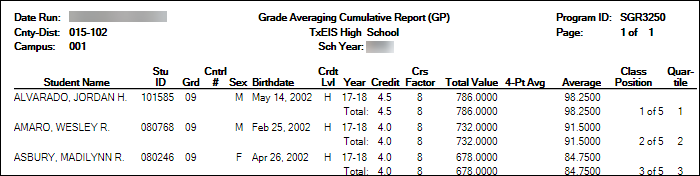
- (Default) Report Sort Order is Grd Lvl, and Print Detail selected: Prints all years sorted by rank.
- Report Sort Order is Grd Lvl, and Print Detail is not selected: Prints one cumulative line per student.
- Report Sort Order is Alpha, and Print Detail is selected: Prints all years in alpha order.
- Report Sort Order is Alpha, and Print Detail is not selected: Prints one cumulative line per student in alpha order.
Click Execute.
-
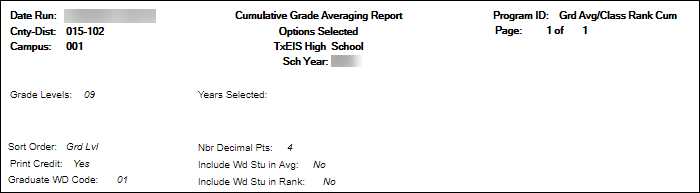
- Cumulative Grade Averaging Report - Options Selected - Displays the options selected when the utility was run.
- Grade Averaging Cumulative Report - Displays the results of the utility according to the selections of the Report Sort Order and Print Detail fields.
- A message is displayed indicating that cumulative grade averaging and class ranking is completed.
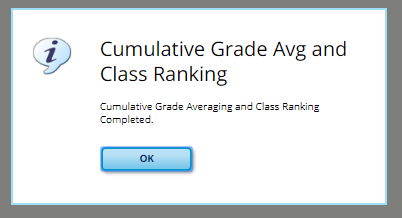
Click OK.
- The following fields are updated on Maintenance > Student > Individual Maint > Grade Avg:
- Cum GPA
- Cum Rank
- Nbr of Students Ranked
- Date Ranking
- Quartile


general/grade_reporting_utility_cum_grd_avg_body.1542295514.txt.gz · Last modified: 2018/11/15 10:25 (external edit)