
User Tools
Sidebar
academy:student:asdr
Book Creator
Add this page to your book
Add this page to your book
Book Creator
Remove this page from your book
Remove this page from your book
End-of-Year and Annual Student Data Rollover (ASDR)

Annual Student Data Rollover (ASDR) is a process that closes out the current school year and prepares student records for the next school year. This process occurs once a year prior to the start of school and is performed for the entire district.
- Student grade levels are increased by one. Note that there is an exception for record status 5 students (not currently enrolled in this district, will attend next year): the program considers the grade level to be the next year grade level, rather than the promotion/retention year-end-status codes. ASDR will not promote record status 5 students to the next grade level.
- Students who are moving to a higher-level school (e.g., from elementary to middle school) are enrolled at the new campus.
- ASDR moves the student schedules from Scheduling to Grade Reporting for the upcoming school year. Course requests that are not in Assigned status will be dropped from Scheduling.
Before and after running the program, there are a number of steps required as part of the ASDR process, which are described in this guide. The process of running ASDR occurs in the District Administration application; however, there are steps that must be completed in all ASCENDER Student applications.
IMPORTANT: Some of the images and/or examples provided in this document are for informational purposes only and may not completely represent your LEA’s (School System) process.
Prerequisites
- You must have completed the Scheduling process for secondary campuses. For more information, see ASCENDER Scheduling Guide: Manual, Automated, or Combination. Note that elementary scheduling can occur after ASDR.
- Be sure to coordinate with business and other student users to ensure that everyone is made aware of the planned date for the ASDR so vital processes can be scheduled accordingly. ASCENDER system will be unavailable during the ASDR process.
Before Running ASDR
- Complete the end-of-year checklist.
End-of-Year Checklist
Each campus must complete the following end-of-year tasks before beginning the ASDR process.
Attendance
❏ Verify that student attendance and the attendance calendar reflect the final end-of-year membership days, waivers, attendance, etc.
❏ Attendance > Reports > Attendance Reports > Students > SAT1800 - Attendance Audit Report
NOTE: If you made changes to any attendance date with posted attendance to a non-membership date in the attendance calendar, you must run this report. This removes posted attendance from student records. Be sure to generate new audit reports to reflect this change.
❏ Verify that all required attendance audit reports have been generated from ASCENDER and stored for your records, as well as other reports required for the district. Review the TEA Student Attendance Accounting Handbook (SAAH), Section 2.3 for specific rules.
IMPORTANT: The following attendance reports must be generated throughout the year and retained for auditing purposes. They can be saved as a PDF.
These reports are not available in Historical.
❏ Attendance Reports > Audit > SAT0600 - Student Detail Report
Verify that individual student membership information is correct, and that the totals on the summary page match the totals on the SAT0900 Principal/Superintendent semester report.
❏ Attendance Reports > Audit > SAT0900 - Campus/District Summary ReportVerify eligible attendance days present/absent and special programs contact hours, by campus and by district. Verify that the report is balanced against the SAT0600 - Student Detail Report report.
❏ Attendance Reports > Audit > SAT0920 - Campus/District Multi-Track Summary ReportThis report is the same as SAT0900, except it provides information for multiple tracks.
❏ Attendance Reports > Audit > SAT0670 - Teacher Membership Roster by Control Num
Verify that first and fourth six weeks campus membership is balanced against district enrollment totals on SAT1000.
❏ Attendance Reports > Students > SAT0400 - Daily Attendance SummaryVerify that daily attendance summaries have been balanced daily.
❏ Attendance > Reports > Attendance Reports > Rosters > SAT1370 - Class Attendance VerificationPrint current year class attendance by instructor name or control number. Use for attendance verification for all attendance or grade reporting cycles.
Additional attendance reports are available in Historical and can be run as needed.
Grade Reporting
❏ Verify that the end-of-year report cards have been run. See Grade Reporting - End-of-Semester and End-of-Year Processes (ASCENDER Grade Reporting - End-of-Semester and End-of-Year Processes) or Year-at-a-Glance guide (End of Final Semester section) for assistance.
❏ Middle schools and high schools should verify that the Grade Averaging and Class Ranking utility has been run for the current year so the GPA information is saved in the database. See Run Grade Averaging and Class Ranking and Print AARs for more information.
❏ Grade Reporting > Utilities > Grade Averaging and Class Ranking
NOTE: If the high school GPA includes high school credit classes taken at the middle school, check the district policy to see if you should run the Grade Averaging and Class Ranking utility at the middle school for grade levels with credit level H courses.
❏ Middle schools and high schools should verify that the Cumulative Grade Averaging and Class Ranking utility has been run.
❏ Verify that Academic Achievement Records (AAR) and grade labels have been printed for all students at all campuses:❏ Grade Reporting Reports > Grades > SGR2047 - AAR Multi-Year
❏ Grade Reporting Reports > Grades > SGR2081 - Student Grade Labels
❏ Grade Reporting Reports > Grades > SGR2091 - Elementary Grade Labels
❏ Generate and save the TeacherPortal Assignment Audit Report (SGR4500). The report displays the categories, assignments, and assignment grades that have been entered in TeacherPortal and includes the cycle and semester averages that were posted to ASCENDER.
❏ Grade Reporting Reports > Grades > SGR4500 - TeacherPortal Assignment Audit Report
Since this is the end-of-year audit report for TeacherPortal, it is recommended that the Sort Order parameter be set to print the report by instructor.
NOTE: This report may take several minutes to run.
TeacherPortal (Skills-based Report Cards)
❏ Generate the Print Elementary Report Cards for Campus report for each report card for each campus that uses skills-based report cards.
❏ TeacherPortal Admin > Elementary Report Cards > Print Elementary Report Cards for Campus
Graduation Plan
❏ For seniors, set any completed Endorsements to 2-Completed and enter the completion date. Also set Foundation and Distinguished to 2-Completed if applicable.
❏ Graduation Plan > Maintenance > Student > Individual Maintenance > PGP (if using Grad Plan)
❏ Registration > Maintenance > Student > Graduation (if not using Grad Plan)
❏ Registration > Utilities > Reset Values (FHSP endorsements can be reset from Pursuing to Completed.)
Registration
❏ Verify that the year-end-status codes have been assigned for all students at each campus. The year-end-status codes are used during ASDR to determine if students will be retained or promoted.
See the Assign Year-End-Status Codes QuickGuide for assistance.
The year-end-status codes are cleared during ASDR and will be blank in the new school year.
Leavers:
IMPORTANT! It is very important that you set the year-end-status codes (i.e., the Year End Status field on Registration > Maintenance > Student Enrollment > Demo3) for leavers properly so they are accounted for in TSDS.
❏ Verify that the Graduation Type and Graduation Date fields have been updated for all current year 12th grade students.
See the Set Graduation Type and Date QuickGuide for assistance.
❏ Transfer the high grade level at each campus as a group to the next year campus for all campuses in the district. If this process was completed earlier in the year, run the scheduling transfer again to add all the new students who may have entered school since the last time the scheduling transfer was performed.
See the Transfer Students to Next Year Campus QuickGuide for assistance.
NOTE: Students who are group-transferred for scheduling purposes will have record status 3 (i.e., currently enrolled at this campus, will attend new campus next year) at the sending campus and record status 4 (i.e., enrolled at another campus, will attend this campus next year) at the next year campus.
Usually, the record status 3 is not created in the next school year during ASDR. However, if a student with record status 3 has a year-end-status code of Retained at the sending campus, the Reverse Scheduling Transfer utility should be run to delete the student’s record at the next year campus. A next year schedule should be entered at the sending campus, which will create the retained student’s record at the sending campus for the next school year.
See the Transfer Students to Next Year Campus QuickGuide (Reverse Transfer section) for assistance.
❏ Verify that bilingual/ESL summer school students are coded correctly.
❏ Registration > Maintenance > Student Enrollment > Local Programs (Summer Sch. Bil/Esl field)
NOTE:
- Students in the bilingual/ESL summer school program should be entered in the Local Programs for TEA section with a Local Program Code = Summer School Bilingual. Only code students that are eligible for KG or 1st grade in the current School Year.
- The student can be enrolled in the Local Program before running ASDR for the current year. After running ASDR, the student can also be entered for the Local Program in the prior year if you have been granted historical update access in Security Administration and you have full access to the Local Programs tab.
Scheduling
❏ Verify that all campuses in the district have created a next year master schedule, including the elementary campuses. Otherwise, the current year campus master schedule will not be created, and all campus courses will need to be selected again after ASDR is run.
The next year master schedule (courses, sections, instructors) must be reviewed for each campus to determine what will be carried over during ASDR.
For more information see ASCENDER Scheduling Guide - Manual, Automated, or Combination, Plus Elementary❏ Scheduling > Maintenance > Master Schedule > Campus > Courses
❏ Scheduling > Maintenance > Master Schedule > Campus > Sections
❏ Scheduling > Maintenance > Master Schedule > Campus > Instructors
❏ Verify that each student has a next year schedule (i.e., assigned courses, sections, and semesters). This applies to all students in secondary grade levels or students at any campus that uses next year scheduling.
NOTE: When setting District Administration > Utilities > Annual Student Data Rollover, you will have the option to drop students who do not have schedules.
❏ Scheduling > Maintenance > Student Schedules
❏ Scheduling Reports > Post-Load > SCH2100 - Student Schedule (Next Yr)
❏ Scheduling Reports > Post-Load > SCH2500 - Schedule of Classes (Next Yr)
❏ Identify students who do not have schedules.
TIP: Be sure to generate the Student Reject List Report prior to accepting the scheduling load. This report lists student course requests that did not get scheduled, which will assist you after accepting the scheduling load in scheduling outstanding unscheduled course requests.
Special Education
❏ If using the Special Ed Next Year field, indicate how ASDR will handle special education data for the next school year.
District Administration
❏ Complete the Summer PEIMS submission and resubmission (Collection 3). See PEIMS Summer Submission guide for assistance.
❏ Complete the Extended Year PEIMS submission and resubmission (Collection 4). See PEIMS Extended Year Submission for assistance.
NOTE: The data for ECDS PK, SELA, RF Tracker, and SPEDS can be edited after ASDR is completed.
Enter next year information.
Enter Next Year Information
Certain next-year data must be entered and verified before running ASDR.
- Enter next year attendance campus options.
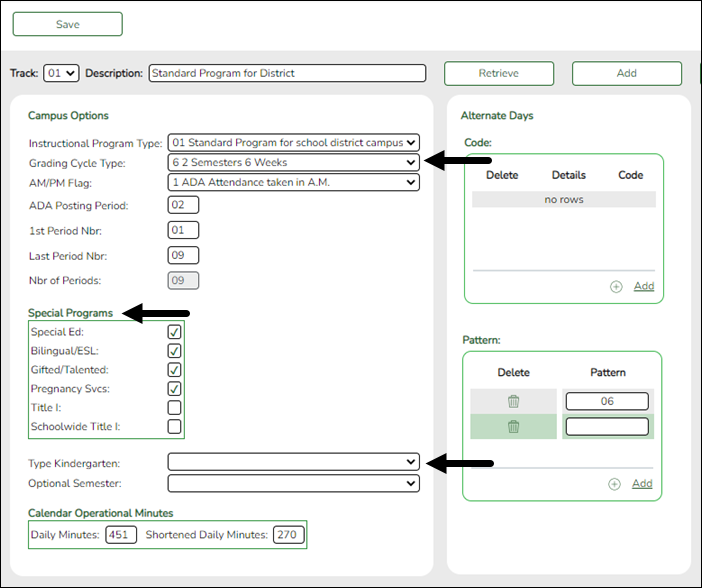
Before running ASDR, the next year attendance options must be set for each track at each campus in the district. The information is used when creating student records for the next school year.
Be sure you are updating the next year page; look for “Next Year” in the breadcrumbs.
Attendance > Maintenance > Campus > Next Year Campus Options
HELPFUL TIPS:
- Print out current year options on Attendance > Maintenance > Campus > Campus Options to assist you in entering next year options.
- Review Attendance > Maintenance > Campus > Copy Calendar to review which tracks need to be created on the next year Campus Options page.
IMPORTANT:
The Grading Cycle Type field must be the same for all tracks at the same campus.
Only special programs selected under Special Programs will be created in the next school year.
The Type Kindergarten field is used during ASDR to set ADA eligibility code.Attendance - Type Kindergarten Registration - Clear Current Eligibility Code Eligibility Code before ASDR From to To Grade Level Eligibility Code after ASDR Action during ASDR 1 No 1 or 2 PK to KG 1 Clear Attribution Cd and Camp ID Resid, if any. 1 No 2 KG to KG 1 Reset 1/2 day to full day; leave Attribution Cd and Camp ID Resid, if any. 1 No 1 or 2 KG to 01 1 Clear Attribution Cd and Camp ID Resid if any. 3 No 1 or 2 PK to KG 2 Clear Attribution Cd and Camp ID Resid, if any. 3 No 1 KG to KG 2 Reset 1/2 day to full day; leave Attribution Cd and Camp ID Resid, if any. 3 No 1 or 2 KG to 01 1 Clear Attribution Cd and Camp ID Resid, if any. 1 Yes 1-6 PK to KG 1 Clear Attribution Cd and Camp ID Resid. 1 Yes 1-6 KG to 01 1 Clear Attribution Cd and Camp ID Resid. 1 Yes 1-6 01-12 to 01-12 1 Clear Attribution Cd and Camp ID Resid. 3 Yes 1-6 PK to KG 2 Clear Attribution Cd and Camp ID Resid. 3 Yes 1-6 KG to 01 1 Clear Attribution Cd and Camp ID Resid. 3 Yes 1-6 01-12 to 01-12 1 Clear Attribution Cd and Camp ID Resid. Blank Yes Any PK to KG Same None Blank Yes Any 01-12 1 Clear Attribution Cd and Camp ID Resid. Blank No Any PK to KG Same None Blank No Any 01-12 Same None Add a new track:
❏ Click Add.
The Track field is replaced by the New Track field.
❏ Type the new track number.
Or, click Cancel to return.
Valid track numbers are 00-99, and the number cannot already exist.
❏ Enter campus options and an optional description for the track as described below, and click Save.
Update data:
Track Select the attendance track. Only tracks established for the campus in the Attendance application are listed.
If a description has been entered for the track on Maintenance > Campus > Next Year Campus Options, the description is also displayed in the drop-down list.
❏ Click Retrieve.Existing data for the track is displayed. Update data as needed.
Description (Optional) Type a description of the track, up to 50 characters. This description will appear in the Track field drop-down list on most Attendance > Maintenance > Campus pages (current and next year). Instructional Program Type (Required) Select the type of attendance program associated with this calendar. Grading Cycle Type Select the breakdown of semesters and cycles for the campus. AM/PM Flag Indicates when the Average Daily Attendance (ADA) posting period occurs. ADA Posting Period Type the two-digit class period when the official ADA attendance is taken. A student posted absent for this period is considered absent for ADA purposes.
If you use alternating schedules (e.g., A-Day and B-Day), you must use the same ADA posting period for both schedules, and for all tracks. This field should be set to the common (“extra”) ADA period as described below for Alternate Days.
1st Period Nbr Type the two-digit first period of the school day for which attendance is recorded. The period is not necessarily the same as the ADA posting period. Last Period Nbr Type the two-digit last period of the school day for which attendance is recorded. Nbr of Periods The total number of periods is calculated and displayed when the record is saved. The 1st Period Nbr is subtracted from the Last Period Nbr, and the difference plus one is the total number of periods for which attendance records are maintained. Special Programs Select the special programs that will be offered at the campus next year.
Select Schoolwide Title I if the campus is a schoolwide Title I campus.
Select Title I if the campus is a Title I targeted-assistance campus.
• If Schoolwide Title I is selected, a Title I record with code 6 is created for new, reentered, and transfer students.
• If Schoolwide Title I and Title I are selected, the campus is a schoolwide Title I campus.
• If Schoolwide Title I and Title I are not selected, the campus is a non-Title I campus.
• If Schoolwide Title I is not selected, but Title I is selected, the campus is a Title I targeted-assistance campus.
NOTE:
For a target-assisted campus, records are transferred for students with Title I Code 7, 8, 9, or A.
For a campus that is neither schoolwide nor target-assisted, records are transferred for students with Title I Code 9 or A.Type Kindergarten Select the type of KG program offered at the campus. Leave blank if the campus does not offer a KG program.
This field is used during ASDR to set ADA eligibility code.Optional Semester Select a semester to use as the default for the Semester field on Attendance > Maintenance > Student > Student Posting > By Individual.
blank - No default semester is specified. The Semester field will default to blank.
1 - Use semester 1.
2 - Use semester 2.
3 - Use semesters 1 and 2.
H - Use the current semester, as determined by the system (i.e., current) date.
❏ Under Calendar Operational/Instructional Minutes:The heading and fields displayed vary according to the Instructional Program Type associated with the selected Track:
• If the selected track is associated with Instructional Program Type 01-03, or 13-15, the heading is Calendar Operational Minutes.
• If the selected track is associated with Instructional Program Type 04-12, 16-18 or blank, the heading is Calendar Instructional Minutes.
• The heading is Calendar Minutes.
Refer to the TEA Student Attendance Accounting Handbook (SAAH) for assistance.
Calendar Operational Minutes:Daily Minutes Type the number of operational minutes per day for the campus. This is the minutes that a campus operated on a particular school day for the purpose of student instruction.
This value is determined by the LEA. You must enter this value even if it is the same as the TEA requirement.Shortened Daily Minutes Type the number of minutes of instruction per day for the campus on a shortened school day.
This value is determined by the LEA. You must enter this value even if it is the same as the TEA requirement.
Calendar Instructional Minutes:Daily Minutes Type the number of minutes of instruction per day, as required by the TEA.
Refer to the TEA Student Attendance Accounting Handbook (SAAH) for TEA requirements and any applicable exceptions.Shortened Daily Minutes Type the minimum number of minutes per day for a shortened school day (e.g., early release/late arrival dates), as required by the TEA.
Refer to the TEA Student Attendance Accounting Handbook (SAAH) for TEA requirements and any applicable exceptions.
When these values are saved, the values are used to populate the campus calendar.
❏ Under Alternate Days:This section is used if the campus has more than one period that is used for ADA period, such as for A-Day/B-Day schedules.
For example, the A-Day schedule may take ADA attendance during period 02, and the B-Day schedule may take ADA attendance during period 05.
For both days, an additional period must be created that is the same for both A-Day and B-Day. This must be a period when no students are scheduled. For example, if the campus has classes during periods 01-08, then period 09 could be used as the extra ADA period. This “extra” period must be the same for both A-Day and B-Day. Be sure this extra period is included in the 1st Period Nbr and Last Period Nbr fields.
When attendance is posted to either ADA posting period (e.g., 02 or 05), it is also posted to the extra period (e.g., 09).
NOTE: All tracks at the same campus must have the same “extra” ADA posting period. For example, if the campus creates period 09 as the extra period, then period 09 must be used for all tracks.
Code (Optional) Type a description of the track, up to 50 characters. This description will appear in the Track field drop-down list on most Attendance > Maintenance > Campus pages (current and next year).
Pattern Click +Add or press ALT+1 to indicate the ADA period for the selected code. A blank row is added to the Pattern grid.
You must enter two pattern rows for each Code:
• Add a row with the ADA period when attendance is taken (e.g., 02 or 05).
• Add a row with the “extra” ADA posting period (e.g., 09).
IMPORTANT: The “extra” ADA posting period must be the same for all codes, and it must be the same for all tracks at the campus. This period must also be entered in the ADA Posting Period field.
Pattern Type the two-digit ADA period. 
Delete the pattern for that code if needed.
NOTE: When using ALT+1 to add a row, you must press the 1 key on the keyboard, not the 1 key on the numeric keypad.
IMPORTANT! Be sure all tracks have the same ADA posting period for TeacherPortal:
On Attendance > Maintenance > TeacherPortal Options > Campus Options, set the A/B Day: Period ADA Attendance Taken fields to the periods when attendance is posted (e.g., 02 and 05).
❏ Click Save. - Enter next year attendance calendar.
The next year campus calendar must be set for each track at each campus in the district. If a track is used by more than one campus, you can use the Next Year Copy Calendar page to copy the calendar to other tracks.
Be sure you are updating the next year page; look for “Next Year” in the breadcrumbs.
IMPORTANT: Do not delete or change any current year attendance calendars. The current year calendars will become the historical attendance calendars. After running ASDR, you will have access to the historical information, so the current year calendars should be maintained as they were during the school year.
Attendance > Maintenance > Campus > Next Year Campus Calendar
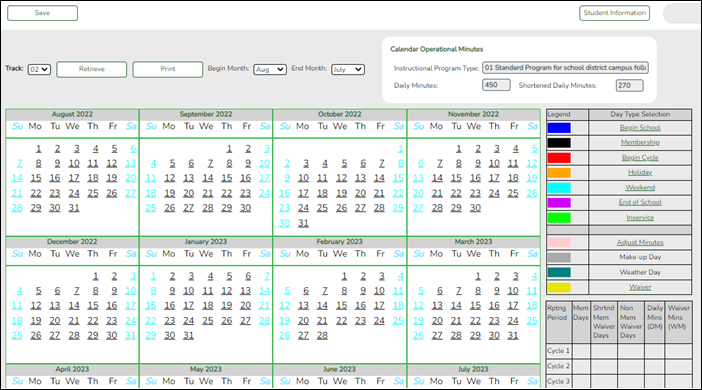
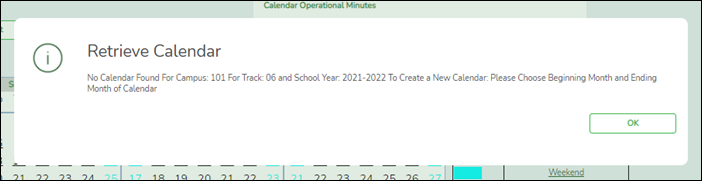
❏ Select an attendance track and click Retrieve.If no data exists, a message indicates that a calendar was not found and that the starting and ending months of the calendar must be selected. Click OK.
The Begin Month and End Month are only displayed when you select a track that has campus next year options saved but no next year calendar data entered:
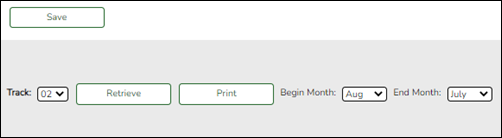
Begin Month Select the first month of the school year. End Month Select the ending month of the school year.
You can create a 13-month calendar by selecting the same beginning month and ending month. A 13-month calendar is used by campuses that begin and end school in the same month.
The Daily Minutes and Shortened Daily Minutes fields display the data entered for the selected track in the Calendar Minutes section on Attendance > Maintenance > Campus > Next Year Campus Options.
Add events to the calendar:
IMPORTANT: Once Adjust Minutes and Waiver Minutes are entered, you are no longer able to adjust Daily Minutes on the Next Year Campus Options page.
❏ Click a date on the calendar to select it.The day is outlined in red. You can select multiple dates.
(To unselect a date on the calendar, click the date again.)
Legend Use the legend to apply a Day Type to the selected date.
The legend has two sections:
The upper section is for designating Day Types, such as first and last day of school, holidays, cycle begin dates, etc.
The lower section is for adjusting school day minutes and waivers. The lower section is only enabled for saved calendars.
Day Type Selection Click a Day Type for the selected date(s). Click the description of the day, not the colored square.
For example, if the selected date is the first day of a cycle, click Begin Cycle in the legend. The date changes to the color that corresponds to that Day Type.
If you clicked an incorrect type of day, click the date on the calendar again, and then click the correct Day Type.
To change a date back to a regular membership day, click the date on the calendar again, and then click the Membership Day Type.
If you change the date for the end of semester 1, the corresponding grade reporting cycle end date is changed to match the new calendar date.
If you change the last day of school, the corresponding grade reporting cycle end date is changed to match the new calendar date. A message is displayed when you save.
If any of the previously set cycle end dates are no longer valid membership days, the cycle end date is changed to the last membership day before the original cycle end date. A message is displayed when you save.
Membership Days In the grid below the legend, data is calculated when the calendar data is saved:
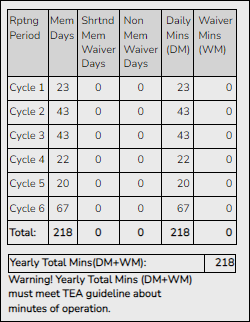
Rptng Period Reporting periods for the campus are listed. Mem Days The number of membership days for each cycle is calculated and displayed. Shrtnd Mem Waiver Days The number of shortened membership waiver days for each cycle is calculated and displayed. Non Mem Waiver Days The number of non-membership waiver days for each cycle is calculated and displayed. Daily Mins (DM) The total number of instructional minutes for the cycle is calculated and displayed. Waiver Mins (WM) The total number of waiver minutes for the cycle is calculated and displayed. Yearly Total Mins (DM+WM): The total is calculated by adding the total number of daily minutes plus the total number of waiver minutes for the year.
NOTE: This value cannot be less than the state-mandated requirement of 75,600, except in rare circumstances. Under no circumstances can the total minutes be less than 71,400.
As you adjust membership minutes, the Daily Mins (DM), Waiver Mins (WM), and Yearly Total Mins (DM+WM) fields (below the legend) change accordingly.
When you apply a Day Type requiring minute adjustments to a valid membership date, a pop-up window provides options for adjusting minutes. The pop-up windows vary according to the adjustment you clicked:Adjust Minutes
The Adjust Minutes type can be used when the daily minutes need to be extended or shortened.
An Adjusted Minutes day is a membership day.
NOTE: Use Adjust Minutes for early release because shortened waiver days are no longer applicable as waiver days.
❏ Select one or more dates on the calendar, and click Adjust Minutes.
Type of Min The field is set to Daily Minutes and cannot be modified. Min The Daily Minutes value is displayed by default. Type over existing data with the adjusted number of minutes of instruction on that date. Event The field is set to 01:Instructional Day and cannot be modified. ❏ Click OK.
❏ Click Save.The Daily Mins (DM) (cycle total) and Yearly Total Mins are automatically adjusted according to the difference between the Daily Minutes and the Min value entered. Following the previous example, both totals are reduced by 30 minutes (450- 420=30) for each adjusted date.
Note that the dates on the calendar are now shaded pink because they are adjusted minutes days. The numbers are black because they are membership days.
Make-up and Weather Day are disabled in the next year calendar.
Waiver Days
Waivers are used to get credit for minutes lost to legitimate school closures, including Staff Development Days. The Daily Mins (DM) for the cycle are decreased by the number of lost minutes, but the Waiver Mins (WM) for the cycle are increased for that number of minutes; therefore the Yearly Total Mins remains unchanged because it is a zero sum.
Review the TEA Student Attendance Accounting Handbook (SAAH), Section 3.8 for rules and guidance.
Staff Development Waiver Day
The Staff Development Waivers are used when staff has training. This could include days when students are in attendance.
NOTE:
Staff Development Waiver Days are not allowed before the first day of school or after the last day of school (Rules 10200-0037 and 10200-0038).
Staff Development Waiver Days are allowed on the first or last day of school, as long as there are some instructional minutes on that date.
A staff development waiver day may be a membership day if there are instructional minutes.
❏ Select one or more dates on the calendar, and click Waiver.
Event Select 01: Staff Development Waiver Day. For the next year calendar, this is the only option available. Type of Min Waiver Minutes Type the number of waiver minutes needed. Daily Minutes Type the number of minutes of instruction that will occur on this date.
Attendance was taken Indicate whether the day is operational/instructional or not:
❏ Click OK.
❏ Click Save.- The Daily Mins (DM) (cycle total) is decreased by the number of waiver minutes (i.e., Minimum Daily Minutes).
- The Waiver Mins (WM) (cycle total) is increased by the number of waiver minutes.
- The Yearly Total Mins remains the same.
Note that the date on the calendar is now shaded yellow because it is a waiver day. The number is green because it is now an in-service date.
Also, a membership day is removed from the count in the Mem Days column for the cycle in which the selected date occurs (if applicable).
❏ Click Save.
❏ Be sure to enter the cycle end dates for the track on Grade Reporting > Maintenance > Tables > Campus Control Options > Parameters NYR.
Other functions and features:
Print Print the calendar.
Review the report using the following buttons:
Click to go to the first page of the report.
Click to go back one page.
Click to go forward one page.
Click to go to the last page of the report.
The report can be viewed and saved in various file formats.
Click to save and print the report in PDF format.
Click to save and print the report in CSV format. (This option is not available for all reports.) When a report is exported to the CSV format, the report headers may not be included.
Click to close the report window. Some reports may have a Close Report, Exit, or Cancel button instead.
IMPORTANT! Once the next year calendar is added, verify that all the information is accurate and the correct numbers of membership days and minutes are displayed.
Copy a next year calendar:
Attendance > Maintenance > Campus > Next Year Copy Calendar
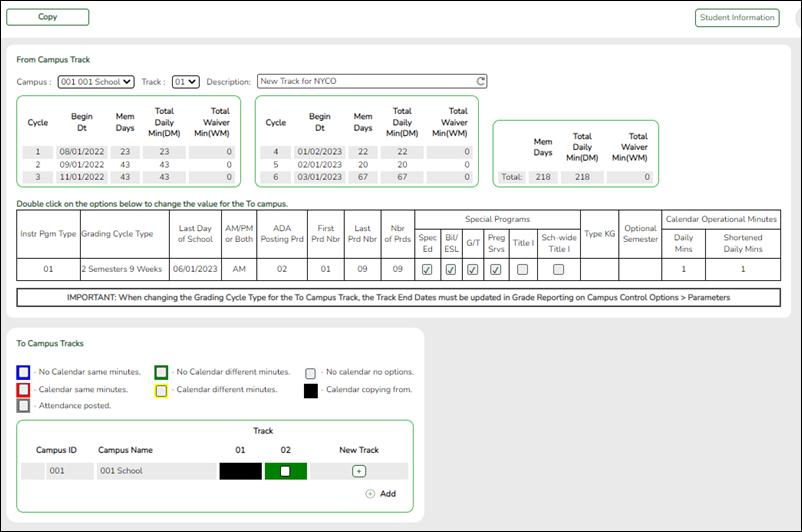
Under From Campus Track:
❏ Select the campus-track from which to copy data:
Campus Select the campus from which you want to copy the calendar. Track Select the attendance track from which you want to copy the calendar. Only tracks that have calendars are listed.
If a description has been entered for the track on Maintenance > Campus > Next Year Campus Options, the description is also displayed in the drop-down list.Description The description of the selected track is displayed if it has been entered on Attendance > Maintenance > Campus > Next Year Campus Options.
You can add or update the description that will be copied to the To Campus Tracks. Type a description of the track, up to 50 characters.
NOTE: Changing the description here does NOT change the description at the From Campus Track.
If you changed the description and wish to reset it to the original description, click the Reset icon.
Next year cycle information is displayed for the selected campus-track:
Begin Dt The first date of each cycle is displayed. Mem Days The number of membership days in each cycle is displayed. Total Daily Min (DM) The total number of minutes of instruction for the cycle is displayed. Total Waiver Min (DM) The total number of waiver minutes in the cycle is displayed. Total (yearly) The yearly total for each field is displayed.
Campus Options for the From Campus Track are displayed for your reference. The information is maintained on Attendance > Maintenance > Campus > Next Year Campus Options unless otherwise indicated.
When you double click any value in that grid, all fields in that grid are enabled, allowing you to change what is copied to the To Campus Tracks.
NOTE: Changing the value here does NOT change the value at the From Campus Track.
❏ Before copying to the To Campus Tracks, update the values as needed:
Instr Pgm Type The type of attendance program associated with this calendar is displayed. Grading Cycle Type The grading cycle type is displayed. Last Day of School The last day of school for the selected campus-track are displayed as entered on Maintenance > Campus > Next Year Campus Calendar. AM/PM or Both The field indicates if ADA attendance is posted in the morning or afternoon. ADA Posting Prd The field indicates the period when ADA attendance is posted. First/Last Prd Nbr The first and last periods of the school day for which attendance is recorded are displayed. Nbr of Prds The calculated total number of periods is displayed according to the First/Last Prd Nbr fields. Special Programs The special programs offered at the campus are selected. Type KG The type of KG program offered at the campus is displayed. The field is blank if a KG program is not offered. Optional Semester The default semester for posting attendance by student is displayed. Calendar Instructional/Operational Minutes The heading and fields displayed change according to the Instr Pgm Type associated with the selected Track:
• If the selected track is associated with Instr Pgm Type 01, 02, 03, or 13-15, the heading is Calendar Operational Minutes.
• If the selected track is associated with Instr Pgm Type 04-12, 16-18, or blank, the heading is Calendar Instructional Minutes.
Daily Mins The daily minutes is displayed. Shortened Daily Mins The shortened daily minutes is displayed.
Under To Campus Tracks:❏ Select the campus-tracks to copy the calendar and options to.
NOTE: Campus options for at least one track must be entered. Otherwise, the campus will not be listed under To Campus Tracks.
IMPORTANT:
If the calendar and/or options differ at the From and To campus-tracks, the calendar and/or options at the To campus-track will be overwritten according to your selections.
When changing the Grading Cycle Type for the To campus-track, you must also update Track End Dates on Grade Reporting > Maintenance > Tables > Campus Control Options > Parameters NYR
Checkboxes are color coded as follows:
- Attendance options exist for the track, but not a calendar. The Minimum Daily Mins, Daily Mins, Shortened Min Daily Mins, and Shortened Daily Min values are all the same at both campus-tracks.
Attendance options exist for the track, but not a calendar. At least one of the Minimum Daily Mins, Daily Mins, Shortened Min Daily Mins, and Shortened Daily Min values are different at the From and To campus-tracks. Note that only the basic calendar will be copied to the To track calendar (Membership day, Begin School, Begin Cycle, End of School, Weekend, Holiday, and Inservice day). The special days (Weather Day, Waiver Day, Make-up Day and Adjust Membership) are not copied.
- Neither calendar nor attendance options exist for the track.
Calendar and attendance options exist for the track. The Minimum Daily Mins, Daily Mins, Shortened Min Daily Mins, and Shortened Daily Min values are all the same at both campus-tracks.
Calendar and attendance options exist for the track. At least one of the Minimum Daily Mins, Daily Mins, Shortened Min Daily Mins, and Shortened Daily Min values are different at the From and To campus-tracks. Note that only the basic calendar will be copied to the To track calendar (Membership day, Begin School, Begin Cycle, End of School, Weekend, Holiday, and Inservice day). The special days (Weather Day, Waiver Day, Make-up Day and Adjust Membership) are not copied.
The box is displayed for the From Campus Track. A campus-track cannot be copied to itself.
The checkbox is disabled because attendance has been posted on at least one date this school year for this campus-track.
A checkbox is not displayed if that track does not exist at the campus.
Create a new track:
❏ Click
 to add a new campus-track.
A text input field appears in place of the button, allowing you to type a new two-digit track.
NOTE: To cancel, double-click the input field, and the button is again displayed.
❏ IMPORTANT: After typing the track, press ENTER.
The track is added to the grid and is selected by default.
The new track is not saved until you click Copy with that track selected. Once saved, the new track will appear in Track drop-down fields across ASCENDER for the next school year.
❏ Click Copy.The From Campus Track calendar and options are copied to the selected tracks according to your selections. Any new tracks are created.
- Enter grade reporting cycle end dates.
The next year cycle end dates must be entered for each track. All tracks for next year must have grade reporting cycle end dates.
Be sure you are updating the next year page; look for “NYR” in the tab title.
Grade Reporting > Maintenance > Tables > Campus Control Options > Parameters NYR
IMPORTANT! Do not change current year cycle end dates or other information. The current year information will become the historical data. After running ASDR, you will have access to the historical information, so the current year data should be maintained as it was during the school year.
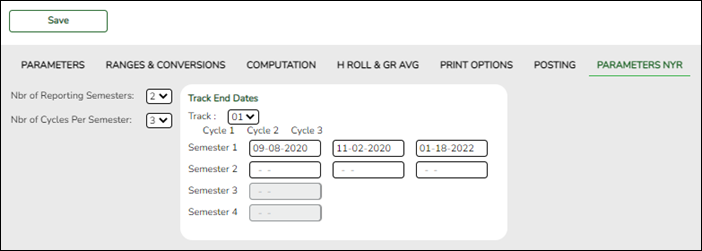
Nbr of Reporting Semesters Select the number of semesters the campus will use next year for grade reporting. The number cannot exceed the district maximum (i.e., Reporting Semesters on Grade Reporting > Maintenance > Tables > District Control Table > District Parameters).
IMPORTANT:
All tracks at the same campus must have the same number of reporting semesters.Nbr of Cycles per Semester Select the number of grade reporting cycles per semester:
• For a four-semester campus, select 1.
• For a two-semester/nine-week campus, select 2.
• For a two-semester/six-week campus, select 3.
IMPORTANT:
All tracks at the same campus must have the same number of cycles per semester.Track End Dates Track Select an attendance track to set up. Semester #
Cycle #In the Cycle # fields for each Semester, type the end dates for each grading cycle in the MMDDYYYY format.
Edits:
Two-semester, two-cycle campus:
• End date for semester 1-cycle 2 must match the last membership day in semester 1 in the attendance calendar for that track.
• End date for semester 2-cycle 2 must match the last day of school for that track.
Two-semester, three-cycle campus:
• End date for semester 1-cycle 3 must match the last membership day in semester 1 in the attendance calendar for that track.
• End date for semester 2-cycle 3 must match the last day of school for that track.
Four-semester, one-cycle campus:
• End date for semester 2-cycle 1 must match the last membership day in semester 1 in the attendance calendar for that track.
• End date for semester 4-cycle 1 must match the last day of school for that track.
IMPORTANT:
The semester and cycle must match the Grading Cycle Type field on Attendance > Maintenance > Campus > Next Year Campus Options.
❏ Click Save.
❏ If you have more than one track for next year, select the next track and enter the cycle end dates.Nbr of Reporting Semesters Select the number of semesters the campus will use next year for grade reporting. The number cannot exceed the district maximum (i.e., Reporting Semesters on Grade Reporting > Maintenance > Tables > District Control Table > District Parameters).
IMPORTANT:
All tracks at the same campus must have the same number of reporting semesters.Nbr of Cycles per Semester Select the number of grade reporting cycles per semester:
• For a four-semester campus, select 1.
• For a two-semester/nine-week campus, select 2.
• For a two-semester/six-week campus, select 3.
IMPORTANT:
All tracks at the same campus must have the same number of cycles per semester.Track End Dates Track Select an attendance track to set up. Semester #
Cycle #In the Cycle # fields for each Semester, type the end dates for each grading cycle in the MMDDYYYY format.
Edits:
Two-semester, two-cycle campus:
• End date for semester 1-cycle 2 must match the last membership day in semester 1 in the attendance calendar for that track.
• End date for semester 2-cycle 2 must match the last day of school for that track.
Two-semester, three-cycle campus:
• End date for semester 1-cycle 3 must match the last membership day in semester 1 in the attendance calendar for that track.
• End date for semester 2-cycle 3 must match the last day of school for that track.
Four-semester, one-cycle campus:
• End date for semester 2-cycle 1 must match the last membership day in semester 1 in the attendance calendar for that track.
• End date for semester 4-cycle 1 must match the last day of school for that track.
IMPORTANT:
The semester and cycle must match the Grading Cycle Type field on Attendance > Maintenance > Campus > Next Year Campus Options.
❏ Click Save.
❏ If you have more than one track for next year, select the next track and enter the cycle end dates. - Verify local programs information.
Print the Campus Local Program Rollover Status report and verify that the ASDR Next Year column is set correctly for each program.
Registration > Maintenance > District Profile > Local Program Codes
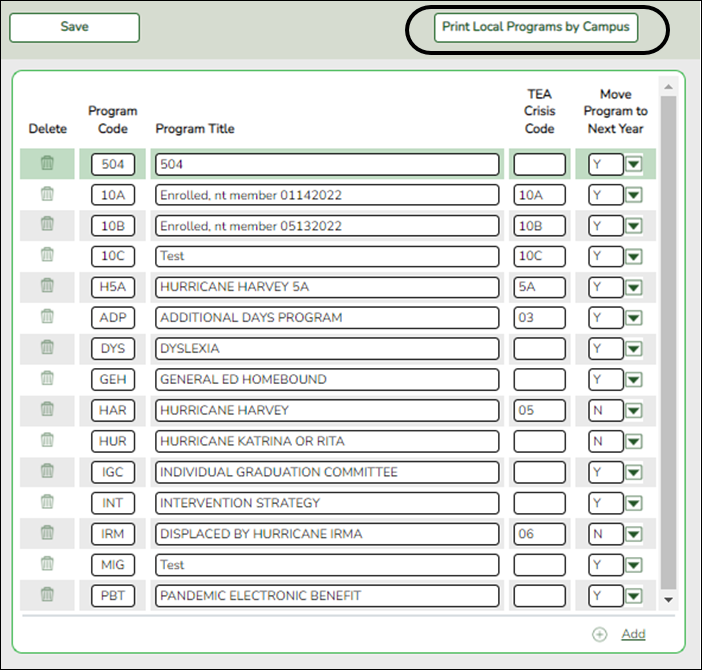
Print Local Programs by Campus Click to print the Campus Local Program Rollover Status report.
The report lists the code, description, and ASDR next year status by campus, allowing you to see if a local program will be written to the next year record when ASDR is run.
The status is determined by the campus or district options:
• If the district Annual Student Data Rollover field is Y, the campus Move Program to Next Year code and description print in the ASDR Next Year column.
• If the district Move Program to Next Year field is N, the ASDR Next Year column displays “Drop Program NYR (By District)” because the district option N overrides the campus Move Program to Next Year field.
Registration > Maintenance > Campus Profile > Campus Local Program Codes
This page allows you to set up campus-level local program codes. At the campus level, the codes are chosen from the codes set up at the district level. You cannot add program codes that are not set up at the district level. Visit the TSDS Web-Enabled Data Standards page to find a list of program codes.
Existing codes are displayed in order by code.
❏ Click +Add.A blank row is displayed added to grid.
Program Code Select the district program code. These codes are established by the district on Maintenance > District Profile > Local Program Codes.
Program Title The program title for the selected code is displayed.
Move Program to Next Year Select the code indicating how Annual Student Data Rollover (ASDR) handles local programs. This field only applies if the district-level Move Program to Next Year field is set to Y on Maintenance > District Profile > Local Program Codes. Otherwise, this field is ignored.
You can drop the program for next year, keep the program but drop all students from the program, or keep the program and re-enroll all students.
❏ Click Save.
Other functions and features:
Delete a row. 1. Click
to delete a row. The row is shaded red to indicate that it will be deleted when the record is saved. You can select multiple rows to be deleted at the same time.
2. Click Save. You are prompted to confirm that you want to delete the row. Click Yes to continue. Otherwise, click No.
You can save edits and delete records in the same step (i.e., the changes are all committed when the record is saved).
Disable Portals.
Disable Portals
NOTE: The following are district-level settings that affect all campuses. Coordinate with staff to ensure that this step occurs at the appropriate time once the school year ends. It is recommended to disable all portals (Teacher, Parent, and Student) within a week or two after the last day of school.
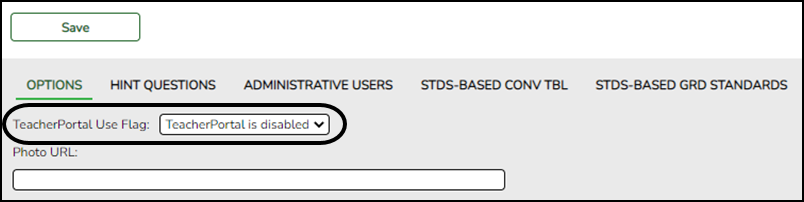
Disable TeacherPortal
Grade Reporting > Maintenance > TeacherPortal Options > District > Options
❏ Set TeacherPortal Use Flag to TeacherPortal is disabled.
Disable ASCENDER ParentPortal
ASCENDER ParentPortal Admin > Admin Settings > District Settings
❏ Set ParentPortal is active as of to a future date. The displayed date will indicate when ParentPortal will become active again. “Inactive” will be displayed.
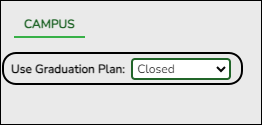
Disable StudentPortal
Graduation Plan > Maintenance > StudentPortal > Campus Options
❏ Set Use Graduation Plan to closed.
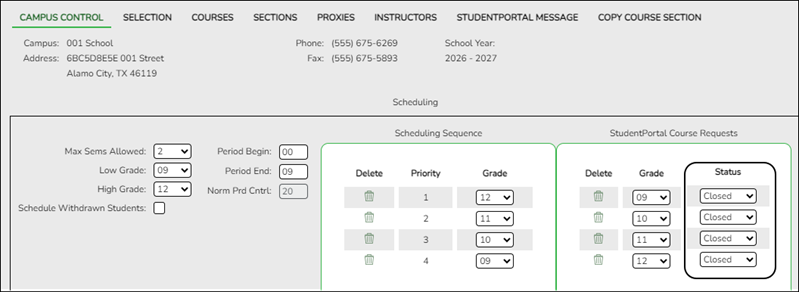
Scheduling > Maintenance > Master Schedule > Campus > Campus Control
❏ Set Status for each grade level under StudentPortal Course Requests to Closed.
Run ASDR
- Set ASDR options.
Set ASDR Options
Before running ASDR, ensure the district, campus, and special program options are properly set.
District Administration > Utilities > Annual Student Data Rollover
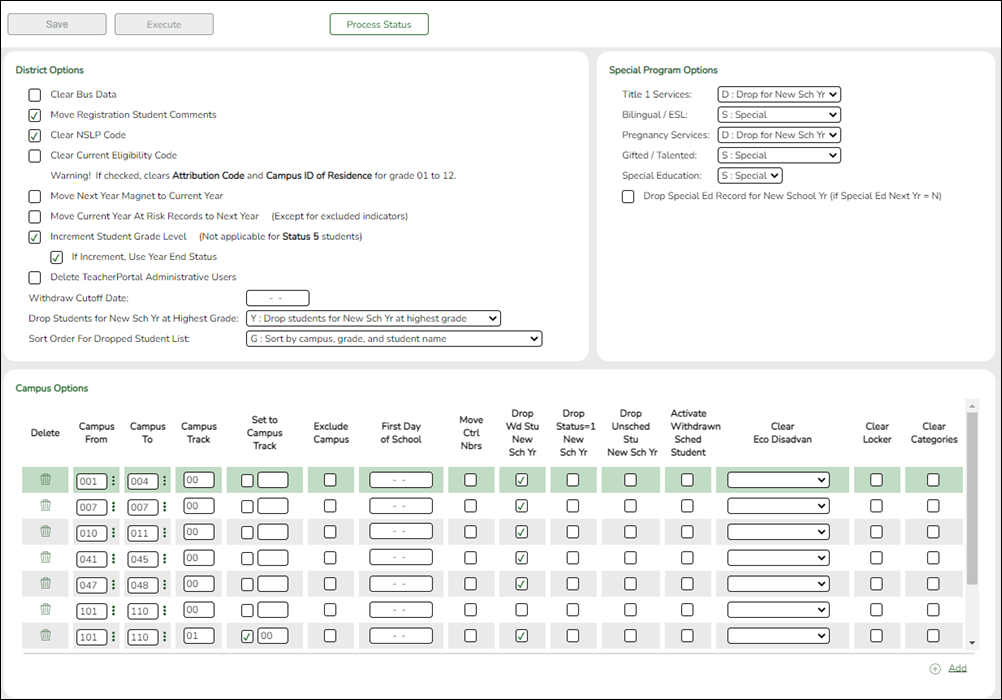
- Set district ASDR options.
This section allows the district to set options that apply to all campuses when running ASDR.
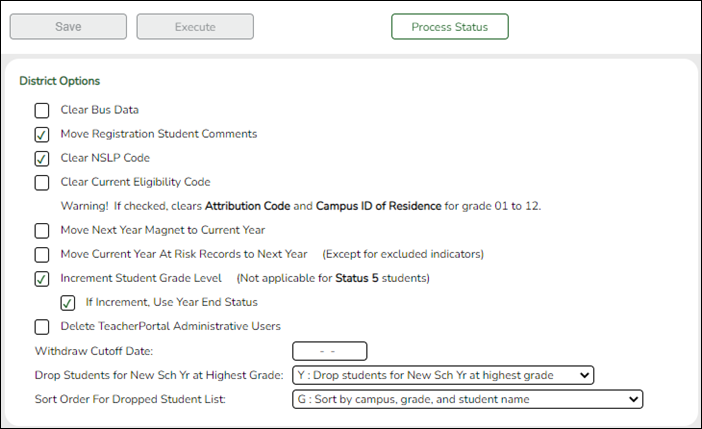
Clear Bus Data Select if the transportation information on Registration > Maintenance > Student Enrollment (Bus Info button) for all students should be cleared in the next year student records for the entire district.
Only bus data entered in Registration is cleared. Any fields entered in Special Education, such as special seating and wheelchair information, are not cleared.
Most LEAs that have bus data do not select this field.Move Registration Student Comments Clear NSLP Code Select if the National School Lunch Program (NSLP) code (i.e., NSLP field on Registration > Maintenance > Student Enrollment > Demo1) should be cleared for all students in the district for the next school year, except those with Economic Disadvantage code 99.
NOTE: National School Lunch Program (NSLP) is an optional program. However, the Economic Disadvantage data is collected for TSDS PEIMS reporting (submissions 1 and 3). Campuses that do not offer NSLP to enrolled students must set the Eco Disadvan code for all students to either 00-Not identified as Economically Disadvantaged or 99-Other Economic Disadvantage, based on the results of a locally developed income survey form.
Clear Current Eligibility Code Select to reset the Elig Code field to 1 (eligible for full-day attendance) on Maintenance > Student Enrollment > Demo1 for all students. The field applies to enrolled students only.
Most LEAs do not select this field.
If selected, the Elig Code field for all students is reset to 1-full day/full year in the next school year. The student’s Attribution Cd and Camp Id Resid fields on Demo1 are also cleared.
Whether selected or not, the following is true:
• For PK students promoted to KG, the Elig Code field is reset according to the Type Kindergarten field on Attendance > Maintenance > Campus > Next Year Campus Options (either 1-full day/full year or 3-half day/full year).
• If the student’s next year grade level is PK and he is not in special education, the Elig Code field is set to 2 (i.e., eligible for half-day attendance).
Attendance - Type Kindergarten Registration - Clear Current Eligibility Code Eligibility Code before ASDR From to To Grade Level Eligibility Code after ASDR Action during ASDR 1 No 1 or 2 PK to KG 1 Clear Attribution Cd and Camp ID Resid, if any. 1 No 2 KG to KG 1 Reset 1/2 day to full day; leave Attribution Cd and Camp ID Resid, if any. 1 No 1 or 2 KG to 01 1 Clear Attribution Cd and Camp ID Resid if any. 3 No 1 or 2 PK to KG 2 Clear Attribution Cd and Camp ID Resid, if any. 3 No 1 KG to KG 2 Reset 1/2 day to full day; leave Attribution Cd and Camp ID Resid, if any. 3 No 1 or 2 KG to 01 1 Clear Attribution Cd and Camp ID Resid, if any. 1 Yes 1-6 PK to KG 1 Clear Attribution Cd and Camp ID Resid. 1 Yes 1-6 KG to 01 1 Clear Attribution Cd and Camp ID Resid. 1 Yes 1-6 01-12 to 01-12 1 Clear Attribution Cd and Camp ID Resid. 3 Yes 1-6 PK to KG 2 Clear Attribution Cd and Camp ID Resid. 3 Yes 1-6 KG to 01 1 Clear Attribution Cd and Camp ID Resid. 3 Yes 1-6 01-12 to 01-12 1 Clear Attribution Cd and Camp ID Resid. Blank Yes Any PK to KG Same None Blank Yes Any 01-12 1 Clear Attribution Cd and Camp ID Resid. Blank No Any PK to KG Same None Blank No Any 01-12 Same None Move Next Year Magnet to Current Year Select if the value in the Magnet next year field on Maintenance > Student Enrollment > Demo2 should be rolled over to the Magnet this year field on Demo2. The Magnet next year field will be cleared (N).
Most campuses are not magnet schools. If this does not apply to your LEA, do not select the field.Move Current Year At Risk Records to Next Year Select to move current year At Risk data to the next school year, except for data that is automatically cleared during ASDR.
Most LEAs select this field.
If the field is not selected, all At Risk data is cleared in the next school year.
The following PEIMS at-risk criteria fields on Registration > Maintenance > Student Enrollment > At Risk, as well as their documentation check boxes, are always cleared during ASDR:
• 1. Unsatisfactory performance on readiness test (PK - 03)
• 4. Unsatisfactory performance on assessment instrument
• 5. Pregnant/parent
• 6. Placed in a DAEP (TEC37.006)
• 7. Expelled (TEC37.007)
• 11. Is in the custody or care of the DFPS or has been referred to DFPS
• 12. Homeless
Increment Student Grade Level Select if the student’s current grade level in the next entry/withdrawal record (Registration > Maintenance > Student Enrollment > W/R Enroll) should be increased by one.
Most LEAs select this field.
If selected:
• PK students are promoted to KG if they are five years old by September 1st and have a “promoted” year-end-status code.
• KG students are promoted to 1st grade.
Whether or not this field is selected, EE students grade levels are not changed.
If Increment, Use Year End Status The setting of this field is ignored unless Increment Student Grade Level is selected.
Select if the grade level should be increased by one for all students whose year-end-status code (i.e., the Year End Status field on Registration > Maintenance > Student Enrollment > Demo2) indicates they were not retained. Grade levels are not changed for students whose year-end-status code indicates they were retained.
If this field is not selected, grade level are increased by one for all students.
IMPORTANT! Ensure that the Year End Status field on Demo2 has been set properly for all students.
Students with year-end-status code 13 (GED) are not created in the next school year.
If Drop Unsched Stu New Sch Yr is selected on the District Administration > Utilities > Annual Student Data Rollover, Campus ASDR Options tab, the following applies for students whose Record Status is 1 (enrolled at the campus) on Registration > Maintenance > Student Enrollment > Demo1:
• Students with year-end-status code 14 (met requirements, but did not pass the state assessment) who have a next year schedule are created in the next school year but not advanced to the next grade level. Students without a next year schedule are not created in the next school year.
• Students with year-end-status code 15 (grade 12, not enough credits to graduate) who have a next year schedule are created in the next school year. Students without a next year schedule are not created in the next school year.
• Students with a year-end-status code 21 (pending completion of summer school) or 22 (pending other) who have a next year schedule are promoted to the next grade level. Students without a next year schedule may not be created in the next school year, depending on the options selected on the District Administration > Utilities > Annual Student Data Rollover, Campus ASDR Options tab.Delete TeacherPortal Administrative Users Select to delete all TeacherPortal administrative user accounts during ASDR (i.e., all district-level accounts listed on Grade Reporting > Maintenance > TeacherPortal Options > District > Administrative Users, and all campus-level accounts listed on Grade Reporting > Maintenance > TeacherPortal Options > Campus > Administrative Users).
If not selected, the administrator login information will be retained for the upcoming school year.Withdraw Cutoff Date You can specify a date for determining if a withdrawn student should be created in the next year records. If a date is entered, next year records are not created during ASDR for any student who withdrew before this date. Next year records are only created for any students who withdrew after this date. You may choose to use this field if you have entered a next year schedule for a student who withdrew after a specified date.
Most LEAs leave this field blank.
Because historical information is available, it may not be necessary to use the Withdraw Cutoff Date field for ASDR. If you need to enter a student from a prior year, such as a migrant student, you can find the student in the Historical Directory and automatically reenter him in the current year.
If a date is entered in this field, the following applies:
• If the student withdrew before the withdrawal cutoff date, he is dropped for next year even if he has a schedule.
• If Drop Wd Stu New Sch Yr is blank on the Campus ASDR Options tab, the program drops students whose withdrawal date is before the withdraw cutoff date.
• If Drop Wd Stu New Sch Yr is selected, the Withdraw Cutoff Date field is not used.
Rules for withdraw cutoff date
Student Withdrew after Cutoff
Next Year Courses in Scheduling Drop Wd Stu New Sch Yr* Drop Unsched Stu New Sch Yr Activate Sched Stu Action during ASDR Courses in Scheduling Yes No Yes Yes Active in new school year Move to current year Yes No Yes No No Show in new school year Move to current year Yes No No No No Show in new school year Move to current year Yes No No Yes Active in new school year Move to current year No No Yes Yes Dropped in new school year None No No Yes No Dropped in new school year None No No No No No Show in new school year None No No No Yes No Show in new school year None * Option cannot be selected when cutoff date is used.
If a withdrawal cutoff date is not entered, ASDR will not drop any students based on their withdrawal date (unless Drop Wd Stu New Sch Yr is selected for a campus on the Campus ASDR Options tab, in which case all withdrawn students are dropped.)
NOTE: If Drop Wd Stu New Sch Yr is selected for a campus, it supersedes the Withdraw Cutoff Date whether or not there is a value.
Drop Students for New Sch Yr at Highest Grade Indicate if next year records should be created for students whose current grade level equals the highest grade level at the campus. This field affects only students with Record Status Code 1 (enrolled at campus) or 3 (currently enrolled at campus, will attend next year).
Valid options:
S - Drop non-special education students at the highest grade level (i.e., drop any 12th grade student that is not retained and not actively special ed.) This option can be used for districts that have special ed students who may attend school beyond 12th grade.
Y - Drop all students for the next school year at the highest grade level (except students with year-end-status code 02, 10, 14, or 15).
Most LEAs select Y.01 - Promoted next grade
02 - Retained same grade
03 - Place in the next grade
04 - Placed in transitional program
06 - Promoted from transitional program to regular grade
10 - Not advanced next grade
11 - Advanced next grade
12 - Graduated
13 - Obtained GED
14 - Met requirements but did not pass STAAR/TAKS
15 - Grade 12 but not enough credits to graduate
21 - Status pending - complete summer school
22 - Status pending - other
23 - Left district before - no status (NOTE: Code 23 should be used for withdrawn students to prevent them from being included on the ASDR error report.)
• If If Increment, Use Year End Status is selected, and the Year End Status field on Maintenance > Student Enrollment > Demo3 indicates the student will be retained, a row is created for the student for next year.
• If Drop Status = 1 New Sch Yr or Drop Unsched Stu New Sch Yr field is selected on Campus ASDR Options, students with Record Status Code 1 (enrolled at campus) are dropped for next year if they do not have course requests.
• No next year student records are created for students with Record Status Code 3 (currently enrolled at campus, will attend next year) who have been group-transferred to their next year campus.NOTE: Students with year-end-status code 12, 13, or 23, are dropped regardless of grade level.
Sort Order For Dropped Student List Select the order in which you want records listed on the report of students whose records will be dropped for next year.
❏ Click Save. - Set ASDR options for special programs.
This section allows the district to select how special program records are set for the next school year when running ASDR.
- A special program entry/withdrawal record is not created for students whose withdrawal reason code in the record is EP (i.e., Exit Program).
- Only special programs selected on Attendance > Maintenance > Campus > Next Year Campus Options are created in the next school year.
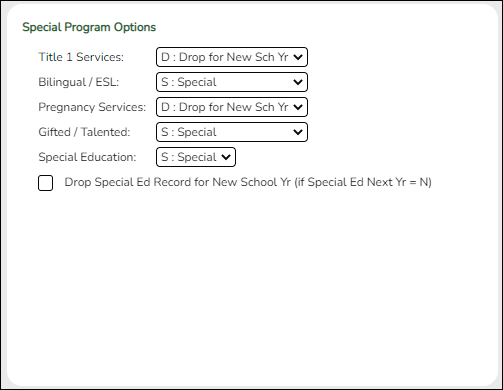
❏ For Title I Services, Bilingual/ESL, Pregnancy Services, and Gifted/Talented, select the code indicating how ASDR should handle the entry/withdrawal records for special programs.
- D - Drop special program records for this special program in the next school year. Records are not created.
- S - Perform a special reset for this special program. The program is rolled over to the new school year, and the enrollment date is set to the first day of the new school year. Records are created.
Rules for special program withdraw cutoff date
- If the student has withdrawn from the special program, and his withdrawal date is earlier than the date in the Withdraw Cutoff Date field (if used) in the District Move Options section, do not create a special program entry/withdrawal record.
- If the student’s withdrawal reason code in the record is EP (i.e., Exit Program), do not create a special program entry/withdrawal record, regardless of the data in the Withdraw Cutoff Date and Drop Wd Stu New Sch Yr fields.
- If Withdraw Cutoff Date is used, the following applies:
- Example: If Withdraw Cutoff Date is 04272016, the student withdrew from the campus and special programs on 03232017, and the Withdrawl Code field = 80, the student is not created in the new school year during ASDR.
- If Withdraw Cutoff Date is 04272016, the student withdrew from the campus and special programs on 05042017, and the Withdrawl Code field = 80, the student is created in the new school year and reentered in the special program(s) during ASDR.
- If Withdraw Cutoff Date is 04272016, the student withdrew from the special programs on 04202017, and the Withdrawl Code field = EP, the student is created in the new school year during ASDR, but the special program record is deleted. The student is not reenrolled in the special program.
- If the entry date is valid, reset the record to the first day of school.
- If the withdrawal date is blank or invalid, reset the record to the first day of school.
Code Wd from School Wd from Special Pgm Wd Code Condition Action S Y Y Any Withdraw Cutoff Date is after Wd Date Do not create next year record S N Y Any Withdraw Cutoff Date is before Wd Date Create next year record S N Y EP N/A Do not create next year record D N/A N/A Any N/A Do not create next year record
Title I Services If you select S, the program also takes into account the Title I and Schoolwide Title I fields on Attendance > Maintenance > Campus > Next Year Campus Options when creating next year records:
If neither field is selected:
• If the student’s current year Title I code is A (facility for neglected, receives services) or 9 (does not attend a Title I school, but receives services), ASDR creates a Title I record in the next school year and rolls over the current year code.
• For students with any other current year Title I code, Title I records are not created in the next school year.
If Title I is selected, but Schoolwide Title I is not selected:
• If the student’s current year Title I code is A (facility for neglected, receives services), 6 (attends schoolwide Title I program school) or 9 (does not attend a Title I school, but receives services), Title I records are not created in the next school year.
• For students have any other Title I code, Title I records are created in the next school year.
If both Title I and Schoolwide Title I are selected, Title I records are created in the next school year with code 6.
Bilingual/ESL If you select S, a record is created on Registration > Maintenance > Student Enrollment > Bil/ESL in the current school year for students who have EB Cd 0 (not EB), 1 (EB), F (Exited from EB (M1)), S (Exited from EB (M2)), or 3 (Exited from EB (M3)) and receive bilingual/ESL services.
If the Bilingual/ESL special program is selected on Attendance > Maintenance > Campus > Next Year Campus Options, the student’s enrollment record for EB, bilingual, or ESL is created in the next school year.
If EB Cd is 4, ASDR will create an EB code 5 record (former EB/ESL student) in the new school year.
If EB Cd is 5, ASDR will create an EB code 5 record in the new school year.Pregnancy Services It is recommended that you select D (drop the student’s pregnancy services row in the new school year).
Gifted/Talented If you select S, a record is created on Registration > Maintenance > Student Enrollment > G/T in the current school year for G/T students.
If the Gifted/Talented special program is selected on Attendance > Maintenance > Campus > Next Year Campus Options, the student’s enrollment record for gifted/talented is created in the next school year.Special Education Only option S is available.
• If the student exited the special education program in the current school year with withdrawal reason code EP (exit program), ASDR does not create a special education record for the student in the next school year.
• If the student’s Next Year Special Ed field is Y on Special Education > Maintenance > Student Sp Ed Data > Next Year > Program Information, ASDR merges any of the student’s next year special education information with his current year special education information, and creates the record in the next school year.
• If Next Year Special Ed is blank on Special Education > Maintenance > Student Sp Ed Data > Next Year > Program Information, the student’s special education information from the current year is created in the next school year.
Drop Special Ed Record for New School Yr (if Special Ed Next Yr = N) This field is used in conjunction with Next Year Special Ed on Special Education > Maintenance > Student Sp Ed Data > Next Year > Program Information. It affects only students whose Next Year Special Ed field is N. If you select Drop Special Ed Rec for New Sch Yr if Special Ed Next Yr = N, special education records are not created for these students in the next school year.
Rules for dropping special ed records
Drop Spec Ed Rec for New Sch Yr if Spec Ed Next Yr = N Special Ed Next Year Action during ASDR Yes Yes Merges NY data with CY data. Blank NY data is not merged. Any NY data replaces CY data.Checked NY checkbox fields are merged. Yes No Deletes all CY and NY data. Does not create the student’s special education records on the Registration SpecEd tab. Yes Blank Copies CY data to a new record in the new school year. No Yes Merges NY data with CY data. Blank NY data is not merged. Any NY data replaces CY data. Checked NY checkbox fields are merged. No No Copies CY data to a new record with the next school year code. No Blank Copies CY data to a new record with the next school year code.
❏ Click Save. - Set campus ASDR options.
This section allows the district to set options that apply only to a specified range of campuses and tracks during ASDR.
Order for record status codes:
Record status codes are processed in the following order:- Record status 2 (currently enrolled at this campus, will return next year)
- Record status 4 (enrolled at another campus, will attend this campus next year)
- Record status 1 (currently enrolled at this campus)
- Record status 5 (not currently enrolled in this district, will attend next year)
- Record status 3 (currently enrolled at this campus, will attend new campus next year)
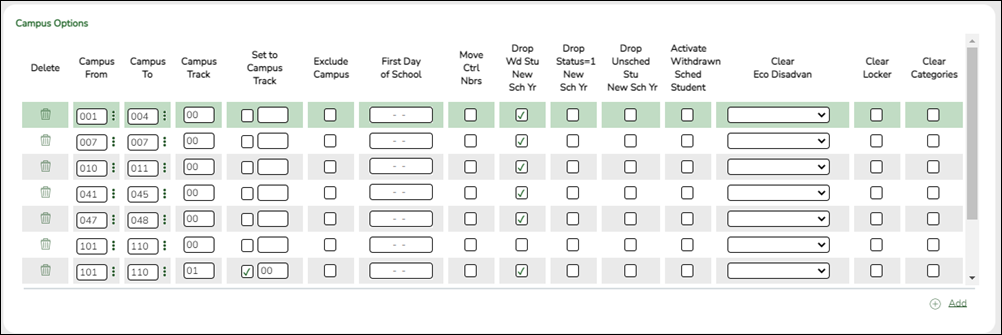
Existing campus options are displayed and can be modified.
❏ Click +Add to add a campus or range of campuses and tracks.A blank row is added to the grid.
Campus From
Campus ToSpecify a campus or range of campuses. The options selected on each row apply only to the campuses in the range specified in these fields.
• You must account for all campuses in the district. Every campus in the district must be included in a range.
• If there is only one campus in the range, type the same campus ID in both fields.
• If a campus has multiple tracks, the campus must be listed in the Campus From and Campus Thru fields for each track.
• Some campus IDs within the range might not be valid campus IDs; they are bypassed.
IMPORTANT! If you include more than one campus in a range, be sure that the selected options are appropriate for all campuses in the range.
Campus Track Type the track for which the options apply.
Options must be set for every track at the campus.
• A set of next year attendance options must already be built for every track at every campus.
• Include each track at each campus, unless Exclude Campus is selected for the campus. Students whose next year track does not exist will be dropped in the next school year and will be included on the Dropped Stu List report.
• Campuses included in the range on the same row must have the same first day of school for the track specified.
NOTE: If the district has multiple half-day tracks, PK students should be pre-registered to the track they will be on for the next school year.
Set to Campus Track Use the two fields to move students from one track to another during ASDR.
Select the checkbox and type a track in the input field if all students at the original campus and track will be moved to the entered track when ASDR is run. For example, this could be used to transfer students to a track with an extended year calendar.
• The next year calendar must already be set up for the track.
• The track input field is enabled only when the checkbox is selected.
• If the checkbox is selected, the track input field cannot be blank.
• If you type a value in the track input field, the First Day Of School field is disabled and populated with the correct first day of the school for the entered track when you save. It will remain disabled after you save; you must clear the checkbox if you need to reset First Day Of School for any reason (e.g., to change or correct data).
It is recommended that you do not use this option to move students from a half-day track to a full-day track.
Exclude Campus Select to exclude the campus from ASDR. This option is used for a campus that will not be active or used in the next school year. If the campus is excluded, no next year records are created for the campus.
Because historical information is saved, a campus must be excluded instead of deleted so that the data is saved in the historical records.
• If a campus will not be used next year, but it still has student records (such as leavers), do not exclude the campus. Instead, set ASDR options to drop the student records when ASDR is run by selecting Drop Wd Stu New Sch Yr, Drop Status =1 New Sch Yr, and Drop Unsched Stu New Sch Yr on the Campus ASDR Options tab). When the campus is accessed in the next school year, there will be no student records for the next school year.
• If you exclude a campus with enrolled students, the students are not rolled over during ASDR. Their records are written to the historical tables for the excluded campus. If the student does not have a valid next year campus, he will be dropped in the next school year.First Day of School This date is automatically set to the first day of school for all next year campuses when next year attendance calendars are created. This date will be used as the campus entry date, original campus entry date, and course entry date for all students is displayed.
The date may also be used for the entry date for special programs. Be sure this date is the same date is displayed on Attendance > Maintenance > Campus > Next Year Campus Calendar.Move Ctrl Nbrs Select to move next year student control numbers (Scheduling > Maintenance > Control Number) to the current year and clear the next year control number field.
For high school campuses, this field is typically not selected.
IMPORTANT!
Be sure to check with the elementary campus to see if the are using the next year control number option in Scheduling.
Next year control numbers must already be set for students. If you select this option and next year control numbers are not set, all student control numbers will be cleared.Drop Wd Stu New Sch Yr This option uses the withdrawal date to determine if the student will be dropped.
Select to not create next year records for students who withdrew before the end of the current year.
It is recommended that you select this field. If selected, you will be able to re-enroll withdrawn students from Historical Directory.
If not selected, and the student has a withdrawal date and meets other criteria (e.g., the student has courses scheduled for the new school year, or the campus did not also select Drop Unsched Stu New Sch Yr), No Show (record status 6) records are created for the withdrawn students for the new school year. Creating No Show records for withdrawn students at any campus is not recommended.
NOTES:
If a Withdraw Cutoff Date is entered on the District ASDR Options tab, you cannot also select Drop Wd Stu New Sch Yr; only one of the fields can be selected.
If Drop Wd Stu New Sch Yr is selected for a campus, it supersedes the Withdraw Cutoff Date on the District Move Options tab, whether or not a withdraw cutoff date is entered.
If Drop Wd Stu New Sch Yr is selected for a campus, this setting overrides the Activate Withdrawn Sched Student setting. In this case, withdrawn students will be dropped even if they have scheduled courses.Drop Status = 1 New Sch Yr This option uses the status code to determine if the student will be dropped.
Select to not create next year records for record status 1 students (currently enrolled at this campus).
This option is for campuses that use a scheduling application.
Campuses that do not use a scheduling application should not select this option, because no student records would be created for the next school year.
If selected:
• Students with record status 1 are not created.
• Students with record status 2 are created for the next school year.
Drop Unsched Stu New Sch Yr This options looks at the student's course requests to determine if the student will be dropped.
Select to not create next year records for students who do not have scheduling course requests at their next year campus, regardless of their record status. This applies to both active and withdrawn students.
If selected, even students who withdrew after the Withdraw Cutoff Date on the [registration:maintenance:districtprofile:asdr:campusmoveoptions|District ASDR Options]] tab (if used) are dropped if they do not have a next year schedule.Activate Withdrawn Sched Student This options looks at the student's course requests to determine if the student will be dropped.
Select to re-activate withdrawn students who have courses requested or assigned in Scheduling at their next year campus.
The withdrawal date is deleted from the enrollment records of students who have course requests, whether or not the requests are scheduled.NOTE: If Drop Wd Stu New Sch Yr is selected for a campus, that setting overrides the Activate Withdrawn Sched Student setting. In this case, withdrawn students will be dropped even if they have scheduled courses.
Clear Eco Disadvan Indicate how to clear the Eco Disadvan field on Registration > Maintenance > Student Enrollment > Demo1 for all students.
Do not clear - The current value is carried over to the new school year.
Clear all except 99 - The value is carried over to the new school year for students with code 99. For all others, the value is set to 00 in the new school year.
Clear ALL - The value is set to 00-Not Economically Disadvantaged for all students in the new school year.
Clear only code 01 - For students with code 01-Eligible for Free Meals, the value is set to 00 in the new school year. For all others, the value carried over.
Clear only code 02 - For students with code 02-Eligible for Reduced-price Meals, the value is set to 00 in the new school year. For all others, the value carried over.
Clear only code 99 - For students with code 99-Other Economic Disadvantage, the value is set to 00 in the new school year. For all others, the value carried over.Clear Locker Select to clear the Locker field on Registration > Maintenance > Student Enrollment > Demo2 in the next year records for all students.
Clear Categories Select to clear the categories from the courses for the new school year.
❏ Click Save.
- Back up database and log files.
Back Up Database and Log Files
All users must be logged off ASCENDER.
❏ For districts hosted by their regional service center or at the TCC Data Center, contact your service center to request these backups.
❏ For self-hosted districts, make backups of your ASCENDER and ASCENDER ParentPortal databases files. Contact your regional service center for assistance. - Run ASDR.
Run ASDR
After entering the district, special program, and campus options, you are ready to perform a trial run of ASDR. You can print separate reports that show students whose next year records were not created and list errors found. Once you have corrected or verified the errors, you can perform the live run.
Before running ASDR, do the following:- Be sure that all users are logged out of ASCENDER.
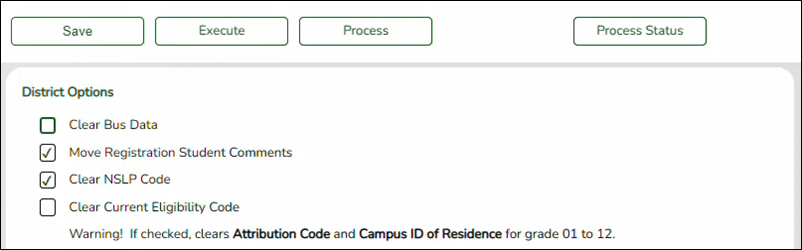
❏ Once all options are selected, click
 to test the rollover.
NOTE: This process may take several minutes. You must keep the page open while the process is running.
❏ Click on
 to determine if the process has completed.
NOTE: At this time there is no refresh for the status. The window must be closed then re-opened.
When the process is complete, four buttons are displayed:
- Dropped Stu Report
- Error/Warning Report
- Process Status
Review Reports
❏ Review the Dropped Stu Report and the Error Warning Report.
Dropped Stu Report:
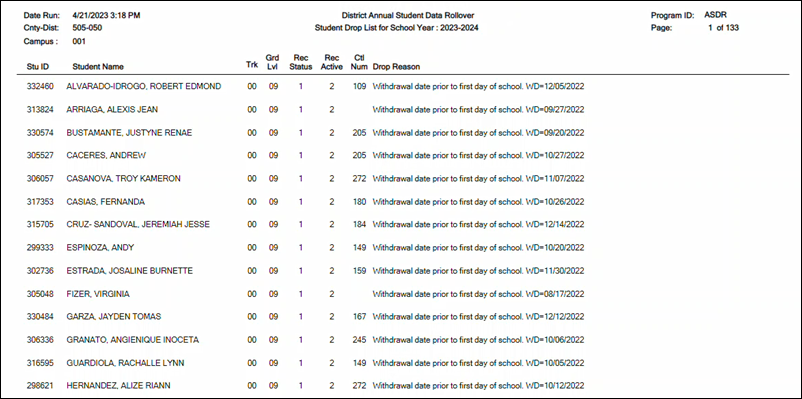
Dropped Student Report Errors:
Error Message Type Student xxxxxx - Bad Enroll record or bad Schedule transfer records found. Error Student xxxxxx - Invalid campus xxx found. Error Student xxxxxx - Invalid track x found for this student. Student dropped. Error Student xxxxxx has SEMS NY Special Ed Teacher records but no Special Ed Enroll Recs. Error Student xxxxxx is currently in 12th grade and Retained. Option to drop status 1 students is selected in Campus ASDR Options Tab. Please make any necessary changes. Error Invalid Track x For Campus yyy. Error Student was retained - Receiving campus enroll record is dropped. Warning Scheduled courses not moved to Grade Reporting for student. Warning Student had a Active Code of '2' and no Withdraw Date. Active code was set to '1'. Warning Student has blank or invalid Year End Status. Option selected : Increment Student Grade Level Using Year End Status. Warning Student is under 6 years old and has grade level KG. Warning Student is under 3 years old and has grade level PK. Warning Student is over 5 years old and has grade level EE. Warning Student is promoted to KG and Military Connected Code is reset to '0'. Warning Student's enroll record for this receiving campus xxx is dropped due to improper record status in the sending campus. If necessary, please run Utilities > Reverse Scheduling Transfer to ensure correct data rollover for next year. Warning Student xxxxx out of school. Warning Student did not submit course request for next year. Warning Student scheduled into school campus number. Warning Student's withdrawal date prior to first day of school. Warning Student is dropped due to reaching highest grade level in this campus. Warning Student graduated out of school. Warning Student is not active and has no withdrawal date. Warning Student withdrew before cut-off date. Warning No request found at this campus. Warning
Error/Warning Report:
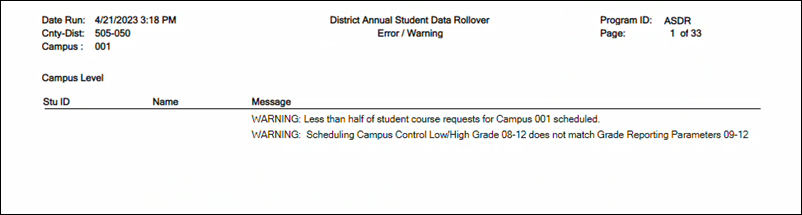
❏ Correct any errors, and correct/verify warnings in the student information, and then re-execute the ASDR process.
❏ Repeat this until all errors and warnings are corrected or verified.
❏ Click Process to complete the ASDR process.
When the process is complete, the Process Status button is displayed indicating that the ASDR update is completed.
❏ Click Close.
❏ Run ASDR again.
❏ After the ASDR process is completed, log out and log back in to re-initialize the screen.
After Running ASDR
- Verify historical and current year data.
Verify Historical & Current Year Data
- Verify that current and prior years are available.
After running ASDR live, the upcoming school year becomes the current school year and is displayed in the top-right corner. If you have access to view historical data, you will be able to select the prior year to view historical data.
❏ Click Change to enable the School Year field.

❏ In the School Year field, verify that you can select the prior year. Click Apply.
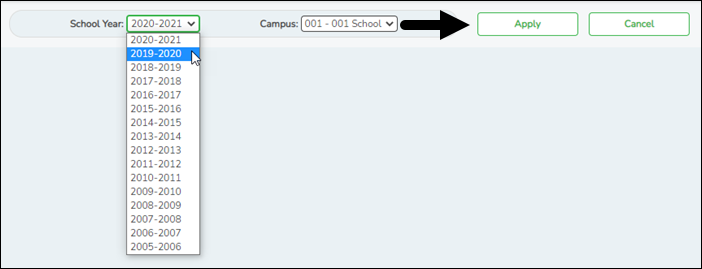
❏ From the Registration application, use the Student Directory to verify that students are retrieved as expected.
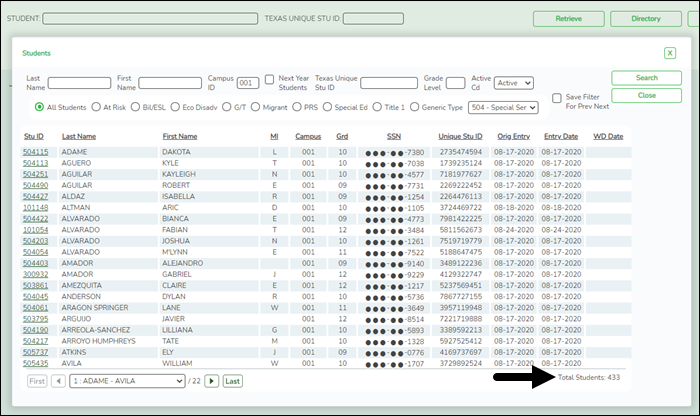
- Verify current year data.
After you run ASDR, run the following reports to verify that students are in the correct grade level, that their schedules were moved to Grade Reporting correctly, and that they are properly enrolled in their special programs.
❏ Registration Reports > Program > SRG1200 - Student Status Changes by ProgramThis report is run by campus and can be run for individual programs (special ed, G/T, Bil/ESL, Title I, PRS, local programs, PK enrollment) and shared with appropriate staff.
❏ Registration Reports > Program > SRG1500 - Student At Risk ListingThis report allows you to compare at risk data for a campus. For example, select ending school year (current year), include withdrawn students, and set the At Risk Year (Ending School Year) parameter to blank to capture all years for comparison. Or, set the At Risk Year (Ending School Year) parameter to the current school year to display current values. Run the report again for the previous school year and compare the two reports.
❏ Registration Reports > Student > SRG0200 - Student Name ListingThis report allows you to view basic student information for current year students. If the Only New Students This Year parameter is set to Y, students who have an enrollment record at the campus for a prior school year are not listed. This report can be run multiple times at the beginning of the school year to identify No Show students, new enrollments, etc.
Student tracks should also be verified.
❏ Grade Reporting Reports > Student Schedules > SGR1940 - Student Course List
This report provides a proof list that allows you to quickly see student schedules and determine if any unscheduled periods need to be addressed. You can use the Scheduling > Maintenance > Live Scheduling Load > Student Reject List report, which was run prior to accepting the live scheduling load, to identify outstanding unscheduled course requests that need to be scheduled.
❏ Grade Reporting Reports > Instructors > SGR2500 - Schedule of Classes (Grd Rpting)This report provides the master schedule in grid format allowing you to review teacher schedules and total number of students.
❏ Grade Reporting Reports > Student Schedules > SGR0010 - Students Without a ScheduleThis report provides a list of students currently without a schedule. The list only includes students with blank schedules.
❏ Health > Reports > Health Reports > AllTIP: Review immunization data for record status 5 students (e.g., PK Roundup) to be sure data is carried over to the next school year.
❏ Special Ed > Student > SEM0000 - Special Ed Student ListingThis report allows you to verify next year data for students enrolled in special ed. Verify that data carried over as expected.
Reference Guide for Updated Fields
Verify that the following data was updated in student records during ASDR.
- Verify Attendance updates.
District Yearly Count
Attendance > Maintenance > Student > Student Inquiry > District Yearly Count
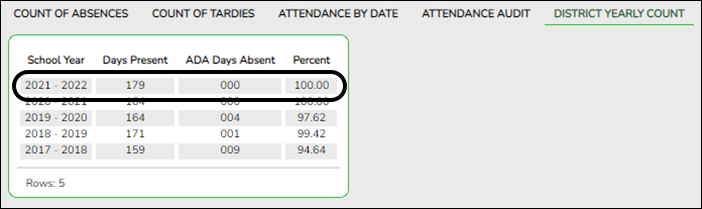
The District Yearly Count tab is updated with a new row for the prior school year.NOTE: Some districts run Attendance > Utilities > District Yearly Count during the school year, so if you already had a row ASDR updates that row.
Cumulative Absences
Attendance > Maintenance > Student > Student Inquiry > Cumulative
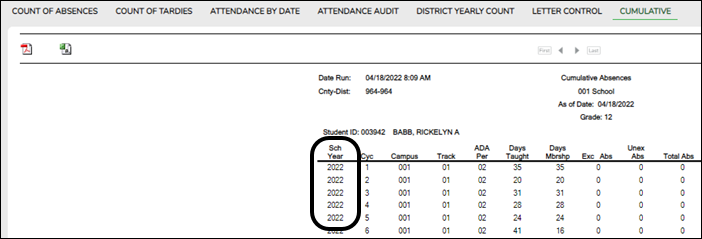
The Cumulative Absences report is updated with data for the prior school year.
Additional Attendance Changes
- Student entry dates should match the first day of school for their calendar and track for the next school year.
- Special programs at the next year campus are selected on Attendance > Maintenance > Campus > Campus Options. If a special program is not offered at the next year campus, no student enrollment records were created in the move.
- Verify Grade Reporting updates.
Schedules for No Show Students
ASDR checks for current year students who were No Show students for the entire school year at the campus and still have a schedule in Grade Reporting. During ASDR, the No Show student schedules are dropped. Therefore, if a student returns to the district, his GPA can be calculated on Grade Reporting > Maintenance > Student > Individual Maint > Prior Yr Transfer when his prior year course records are entered, since he will not have any grade course records for that year.
Additional Grade Reporting Changes
Student schedules, courses, sections, instructors are moved from Scheduling to Grade Reporting.
ASDR moves the OnRamps field settings from the Scheduling district master schedule and campus master schedule Sections tab to the Grade Reporting district master schedule and campus master schedule Sections tab for the new school year.
Rows are created for each calendar-track in the new school year on Grade Reporting > Maintenance > TeacherPortal Options > Campus > First Day Counts Ctrl. - Verify Graduation Plan updates.
Personal Graduation Plan
Graduation Plan > Maintenance > Student > Individual Maintenance > PGP
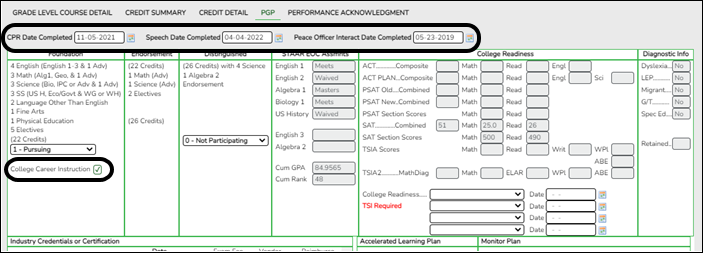
The settings of the following fields are rolled over to the next school year:- CPR Date Completed
- Speech Date Completed
- Peace Officer Interact Date Completed
- College Career Instruction
REMEMBER: These fields are populated in Graduation Plan for students who have a graduation plan. For all other students, the fields are populated on Registration > Maintenance > Student > Graduation.
Performance Acknowledgment
Graduation Plan > Maintenance > Student > Individual Maintenance > Performance Acknowledgment
- Verify Registration updates.
OCR Settings
Registration > Maintenance > Campus Profile > Campus Information Maintenance > Control Info
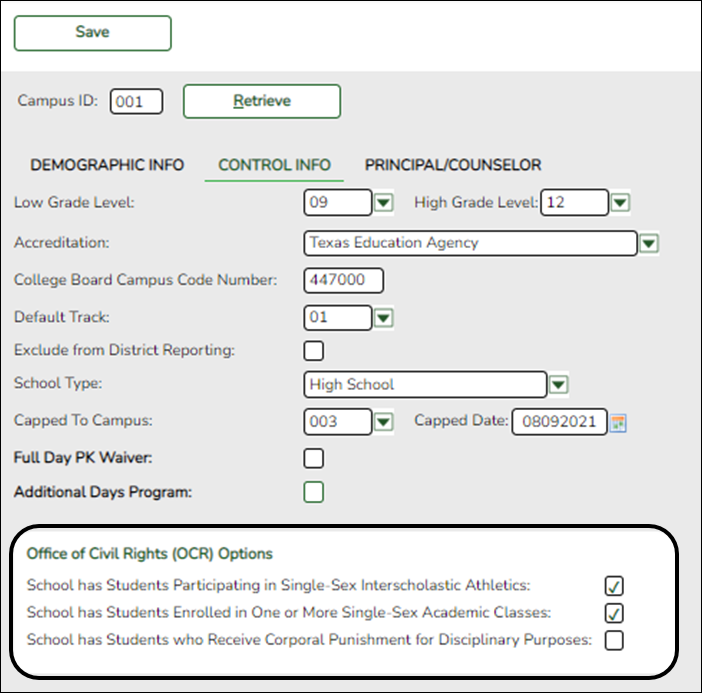
The settings from the Office of Civil Rights (OCR) Options fields are rolled over from the current school year to the new school year.
Student Indicators
Registration > Maintenance > Student Enrollment > Demo1
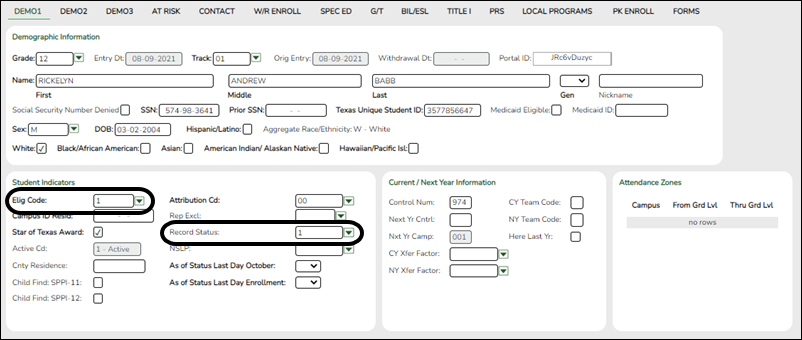
The fields under Student Indicators are set according to settings in ASDR.
PK and KG Student Eligibility Code
The Elig Code field for PK student is normally set to 2 (i.e., eligible half day). If an existing PK student will be five years old by September 1st, he is promoted to KG, unless he is retained.
During ASDR, the eligibility codes for PK students promoted to KG are based on the Type Kindergarten field on Attendance > Maintenance > Campus > Next Year Campus Options:- If the field is set to 1 (full day/full year kindergarten program), when a PK student is promoted to KG, his Elig Code field is set to 1 (eligible full day).
- If the field is set to 3 (half day/full year kindergarten program), when a PK student is promoted to KG, his Elig Code field is set to 2 (eligible half day).
- A current year KG student, whether half day or full day, who is promoted to 1st grade will have his Elig Code field set to 1 (eligible full day).
Record Status
The Record Status field is set to 1 (currently enrolled at campus) at the next year campus.
5th, 8th, and 9th Grade Entry Date and Cohort
Registration > Maintenance > Student Enrollment > Demo2
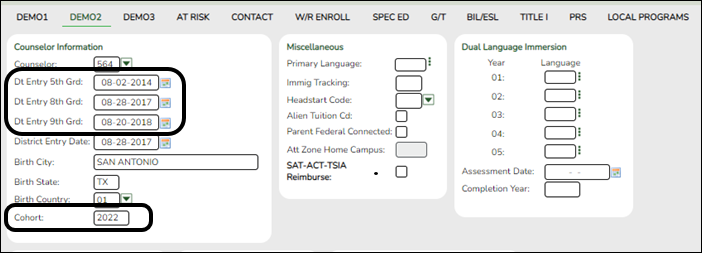
- The Dt Entry 5th Grd and Dt Entry 8th Grd fields are moved from the current year to the new school year, and both fields are set to the first day of the new school year for students who will be enrolled in 5th or 8th grade for the first time in the new school year.
- For 8th grade students entering 9th grade, ASDR updates the student’s Dt Entry 9th Grd field, if the field is blank, with the first day of school for the 9th grade school year.
- ASDR also updates the Cohort field for students entering 9th-12th grade according to the year in Dt Entry 9th Grd. If Cohort is blank and Dt Entry 9th Grd contains a date, the Cohort field is updated with that year + 4.
Neither field is changed if they already contained values before ASDR.
CTE and Other Status Indicators
Career and Technical Education (CTE) Indicator
- If a student’s Career and Technology Ind field was 1 (enrolled), ASDR resets the field to 0 (not enrolled).
- Students with code 2 (coherent sequence of courses) are not reset; the code is rolled over to the next school year.
NOTE: If a student is ineligible for CTE funding (i.e., CTE Elig is cleared on Maintenance > Student Enrollment > W/R Enroll, > SpecEd, or > PRS) the student becomes eligible for CTE funding after ASDR is run.
Status Indicators
The following fields are cleared in the next school year, regardless of district, campus, and special program move options:
- Campus of Account
- Summer Sch. Bil/ESL
At Risk Data
Registration > Maintenance > Student Enrollment > At Risk
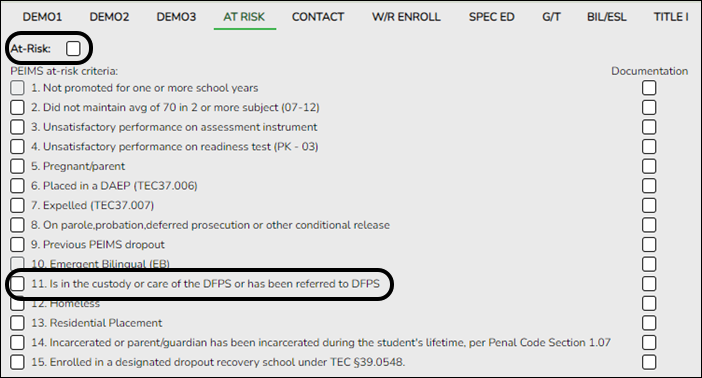
ASDR clears the following PEIMS at-risk criteria fields:- 3. Unsatisfactory performance on assessment instrument
- 4. Unsatisfactory performance on readiness test (PK - 03)
- 5. Pregnant/parent
- 6. Placed in a DAEP (TEC37.006)
- 7. Expelled (TEC37.007)
- 11. Is in the custody or care of the DFPS or has been referred to DFPS
- 12. Homeless
If 11. Is in the custody or care of the DFPS or has been referred to DFPS is the only PEIMS at-risk criteria field selected for the student, the At Risk field is also cleared for the student when ASDR is run.
EB, Bilingual, and ESL Codes
Registration > Maintenance > Student Enrollment > Bil/ESL
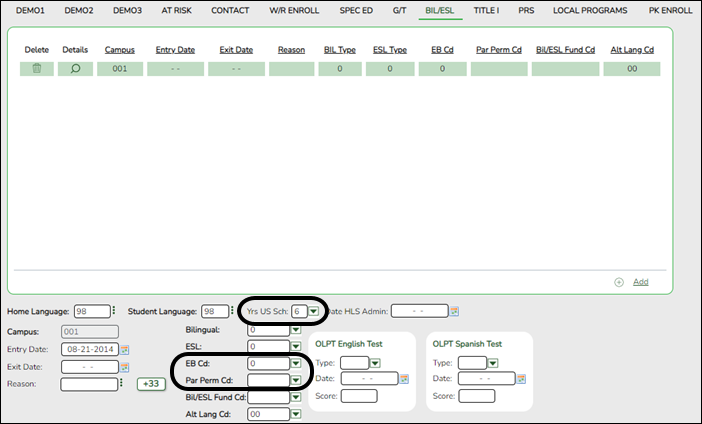
Years in US Schools and EB Codes and Years
ASDR increments the student’s Yrs US Sch field as follows:
- If Yrs US Sch is blank, a blank is rolled over to the next school year.
- If Yrs US Sch is 0 or 1, increment to 2.
- If Yrs US Sch is 2, increment to 3.
- If Yrs US Sch is 3, increment to 4.
- If Yrs US Sch is 4, increment to 5.
- If Yrs US Sch is 5, increment to 6.
- If Yrs US Sch is 6 code 6 is rolled over to the next school year.
If Bilingual/ESL is S (special reset) on Registration > Maintenance > District Profile > Annual Student Data Rollover > Special Program Options, ASDR changes the student’s EB Cd field:- If the student has a row with the withdrawal reason code set to EP (i.e., exit the bilingual or ESL program), ASDR will set EB Cd to F (i.e,. exited from EB - Monitored 1 (M1)).
- If EB Cd is F, ASDR will increment the code to S (i.e,. exited from EB - Monitored 2 (M2)).
- If EB Cd is S, ASDR will create a third year EB monitoring record in the new school year (EB Ind = 3).
- If EB Cd is 3, ASDR will create a fourth year EB Monitoring record in the new school year (EB Ind = 4).
- If EB Cd is 4, ASDR will create an EB code 5 record (former EB/EL student) in the new school year.
- If EB Cd is 5, ASDR will create an EB code 5 record in the new school year.
Bil/ESL Parental Permission Code
If the student’s Par Perm Cd field is B (Parent/Guardian Approved ESL-Not Deny BIL PK-8) and he will be in grade level 9-12 in the next school year, the code is changed to F (Parent/ Guard Approved LPAC Plan 9-12).
Local Programs
Registration > Maintenance > Student Enrollment > Local Programs
ASDR moves local programs to the next school year according to the settings of the Move Program to Next Year fields on Registration > Maintenance > District Profile > Local Program Codes and Registration > Maintenance > Campus Profile > Campus Local Program Codes.- If the field on the district-level page is set to N, the Move Program to Next Year field is disabled on the campus-level page. The district setting overrides the campus setting. The program will be dropped when ASDR is run.
- If the field on the district-level page is set to Y, the program is rolled over to the next school year.
- If the local program does not exist at the next year campus, the program is not created for the student in the next school year.
- For students who exited a program with reason code EP (exit program), the program is not rolled over to the next school year.
Attendance Zones
Processing of the Attendance Zones street segment records from Next Year to Current Year
During the school year, the Attendance Zones information is entered on Registration > Maintenance > District Profile > District Maintenance > Attendance Zones > CY Attendance Zones and Registration > Maintenance > District Profile > District Maintenance > Attendance Zones > NY Attendance Zones.
The Annual Student Data Rollover (ASDR) will process the AZ street information in the following manner:
- The Next Year (NY) street segment records are combined into the Current Year (CY) street segment records for the New School Year.
If there is a street segment in the NY, and the segment does not exist in the CY, create the street segment for New School Year using the NY segment information.
If there is a street segment in the NY and the segment exists in the CY, create the street segment for New School Year using the NY segment information.
If there is a street segment in the CY and the segment does not exist in the NY, create the street segment for New School Year using the CY segment information.- The Transfer Factor information entered on Registration > Maintenance > District Profile > Tables > CY_Transfer Factor and Registration > Maintenance > District Profile > Tables > NY Transfer Factor are copied from the NY Transfer Factor tab to the Current Year tab for the new school year.
The following fields are reset to 0 in the upcoming school year:
- Attendance Zone Edit on Registration > Maintenance > District Profile > District Maintenance > Attendance Zones
- Auto Update Home Campus from Attendance Zones on Registration > Maintenance > District Profile > District Maintenance > Attendance Zones
The following fields are cleared in the upcoming school year:
The following fields are copied to the upcoming school year:
- Registration > Maintenance > District Profile > Attendance Zones table is copied to Registration > Maintenance > District Profile > Attendance Zones (NY Attendance Zones is cleared)
- NY Xfer Factor on Registration > Maintenance > Student Enrollment > Demo1 is copied to CY Xfer Factor on Registration > Maintenance > Student Enrollment > Demo1, and then NY Xfer Factor is cleared in the upcoming school year
Additional Changes
ASDR also clears the following fields in the new school year regardless of district, campus, and special program move options:
- Registration > Maintenance > Student Enrollment > Special Ed (RDSD Fiscal Agent)
- Verify Scheduling updates.
Student Schedules and Alternate Course Requests
Scheduling > Maintenance > Student Schedules > Course Requests
ASDR clears student scheduled courses as well as any alternate course requests.
Students’ next year schedules and/or course requests are cleared in order for the Graduation Plan application to correctly calculate the student’s credit status.
PK Program Evaluation Type
Scheduling > Maintenance > Master Schedule > Campus > Sections
ASDR moves the value from PK Prog Eval Type from Scheduling to Grade Reporting > Maintenance > Master Schedule > Campus Schedule > Section, if a value exists. - Verify Special Ed updates.
Extended School Year (ESY) Services
Special Education > Maintenance > Student Sp Ed Data > Current Year > Program Information
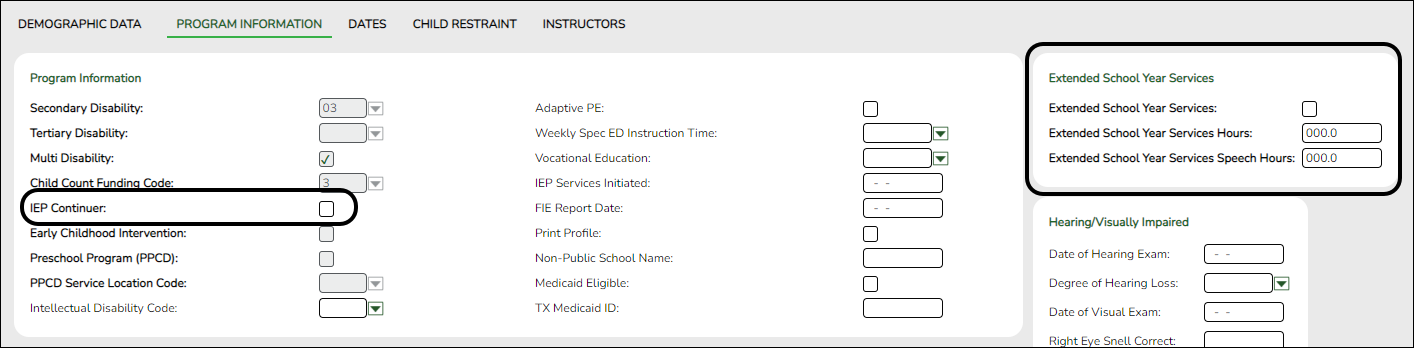
The following fields are cleared for the student in the next school year:- Extended School Year Services
- Extended School Year Services Hours
- Extended School Year Services Speech Hours
The IEP Continuer indicator is rolled over from the current year to the new school year.
Additional Changes
ASDR also clears the following records in the new school year regardless of district, campus, and special program move options:
- Verify Test Scores updates.
Precoding STAAR Status
Test Scores > Maintenance > Individual Maintenance > PRECODE
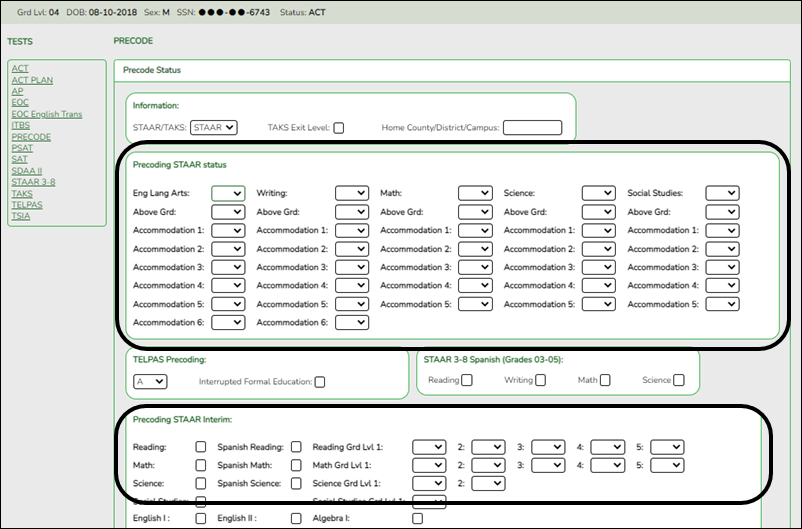
ASDR moves the precoding values assigned to each subject to the next school year, and clears the Above Grd field for every subject in the next school year.
Also:- The setting of the Accommodation 1-x fields for each subject are copied from the current school year to the new school year.
- The Precoding STAAR Interim Reading and/or Math field settings are copied to the new school year.
- The Precoding STAAR Interim Reading and/or Math Grd Lvl fields are cleared for the new school year.
- Re-enable Portals.
Enable TeacherPortal
Grade Reporting > Maintenance > TeacherPortal Options > District > Options
Set TeacherPortal Use Flag to TeacherPortal is enabled.

- When ASDR is run, the teachers’ user ID and password are removed from TeacherPortal for security reasons. The teachers will need to register again for the next school year.
NOTE: TeacherPortal administrative user accounts are deleted/retained according to the setting of the Delete TeacherPortal Administrative Users field on Registration > Maintenance > District Profile > Annual Student Data Rollover > District ASDR Options. If accounts are deleted, campus- and district-level administrators will need to register again for the next school year.
- The TeacherPortal Skills-Based Report Card setup information is cleared when ASDR is run; this information must be re-entered each school year.
Enable ASCENDER ParentPortal
ASCENDER ParentPortal Admin > Admin Settings > District Settings
Set ParentPortal is active as of to the current date. “Active” will be displayed.
NOTE: Once ParentPortal is enabled parents will be able to login and see their child's schedule.
- Parent user names and passwords are not removed; they remain the same for the next school year.
- Student portal IDs also remain the same, with a couple of exceptions:
- Students who graduated or withdrew from school are not created in the next school year, and the student portal IDs are deleted from their student records.
- Students who no longer have portal IDs are no longer listed in their parents’ account in ParentPortal.
Enable StudentPortal
Graduation Plan > Maintenance > StudentPortal > Campus Options
Set Use Graduation Plan to Read Only or Open.
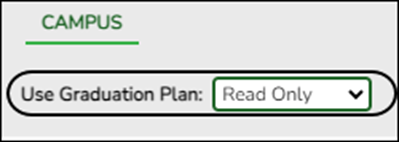
For a complete list of submission rules and edits, access the TSDS Web-Enabled Data Standards (TWEDS) website. In the top-right corner, select the appropriate School Year (20XX), Collection (XXXX), and Submission (XXX) and click Open.
Once on the TWEDS website, in the Overview tab, you can review Collections, Timelines (DUE DATES), and Data Submission Responsibilities. It is highly important to ensure that you review all of these details as they may change according to the School Year.
Additionally, you can use the other tabs on the TWEDS website to review Data Components, Descriptor Tables, References, Rules, Change Logs, and Early Notices.


academy/student/asdr.txt · Last modified: 2026/07/20 15:01 by lcamarillo
Except where otherwise noted, content on this wiki is licensed under the following license: CC Attribution-Share Alike 4.0 International
Americans with Disabilities Act (ADA) and Web Accessibility
The Texas Computer Cooperative (TCC) is committed to making its websites accessible to all users. It is TCC policy to ensure that new and updated content complies with Web Content Accessibility Guidelines (WCAG) 2.0 Level AA. We welcome comments and suggestions to improve the accessibility of our websites. If the format of any material on our website interferes with your ability to access the information, use this form to leave a comment about the accessibility of our website.
Select if you want to copy the student’s registration comments (i.e., Comments window on Maintenance > Student Enrollment) to the next school year. Only comments from the student’s latest campus are copied.